Project management module
One project record from customer PO to final bill, across every site
A signage or branding project touches sales, design, purchase, the factory, installation teams and accounts. The project module puts the customer, sites, value, milestones, tasks, material, production status, installation dates, documents, billing and margin on one record, so the project manager and the owner look at the same picture.
Every site in a rollout, every task, every rupee spent and every bill raised, visible on one project.
The problem
The project lives in five places and in the project manager’s head
A 40-store rollout is tracked on a spreadsheet that only one person updates, and it is already out of date.
- 02Nobody can say which sites are surveyed, which are in production and which are installed without calling three people.
- 03Material for a project is bought against a rough list, so shortages appear on installation day and surplus sits in the godown.
- 04Installation teams get dates on WhatsApp; a change at one site is not reflected anywhere else.
- 05Site issues, client approvals and revised drawings are buried in email threads and chat groups.
- 06Milestone bills are raised late because the office does not know a stage is finished.
- 07The owner sees the project value at the start and the cost only after the last vendor bill arrives.
What it does
The project as the spine of the business
Each customer PO becomes a project. Sites, milestones, tasks and responsibilities are planned on it. Material requests, work orders, purchase orders, timesheets, expenses, invoices and issues all carry the project reference, so status and cost roll up without anyone compiling a report by hand.
- Project master with customer, sales order, project value, project manager, start and end dates and status
- Sites on the project: each site as a child project or a site record with address, contact and scopeConfigured
- Multi-site rollout structure: a parent project with per-site child projects or task groups, rolled up for status and costConfigured
- Milestones with expected and actual dates, tied to billing stagesConfigured
- Tasks with priority, dates, weightage and progress, grouped under parent tasks or sites
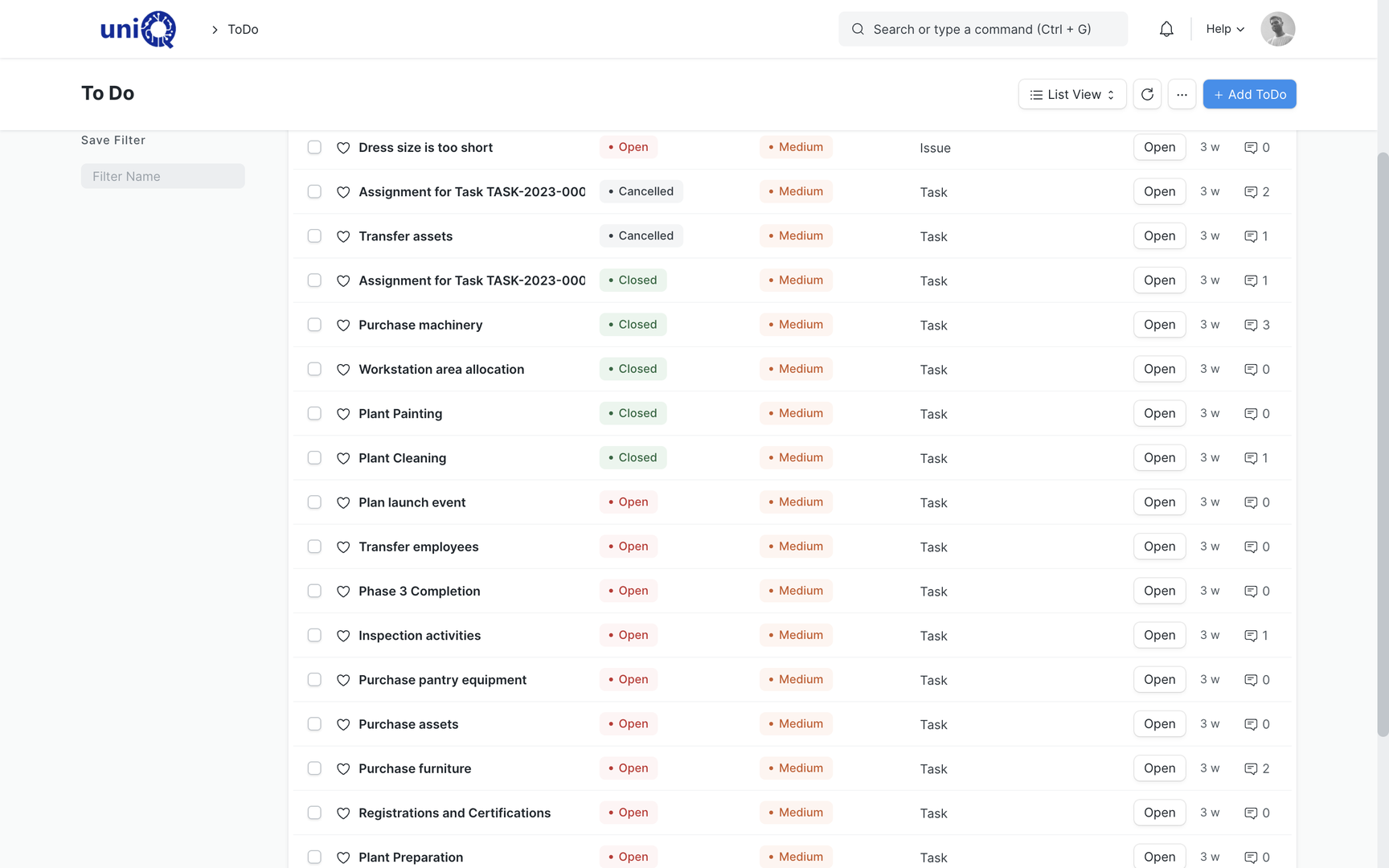
- Responsibilities: tasks assigned to a person or team, with a To Do list and reminders
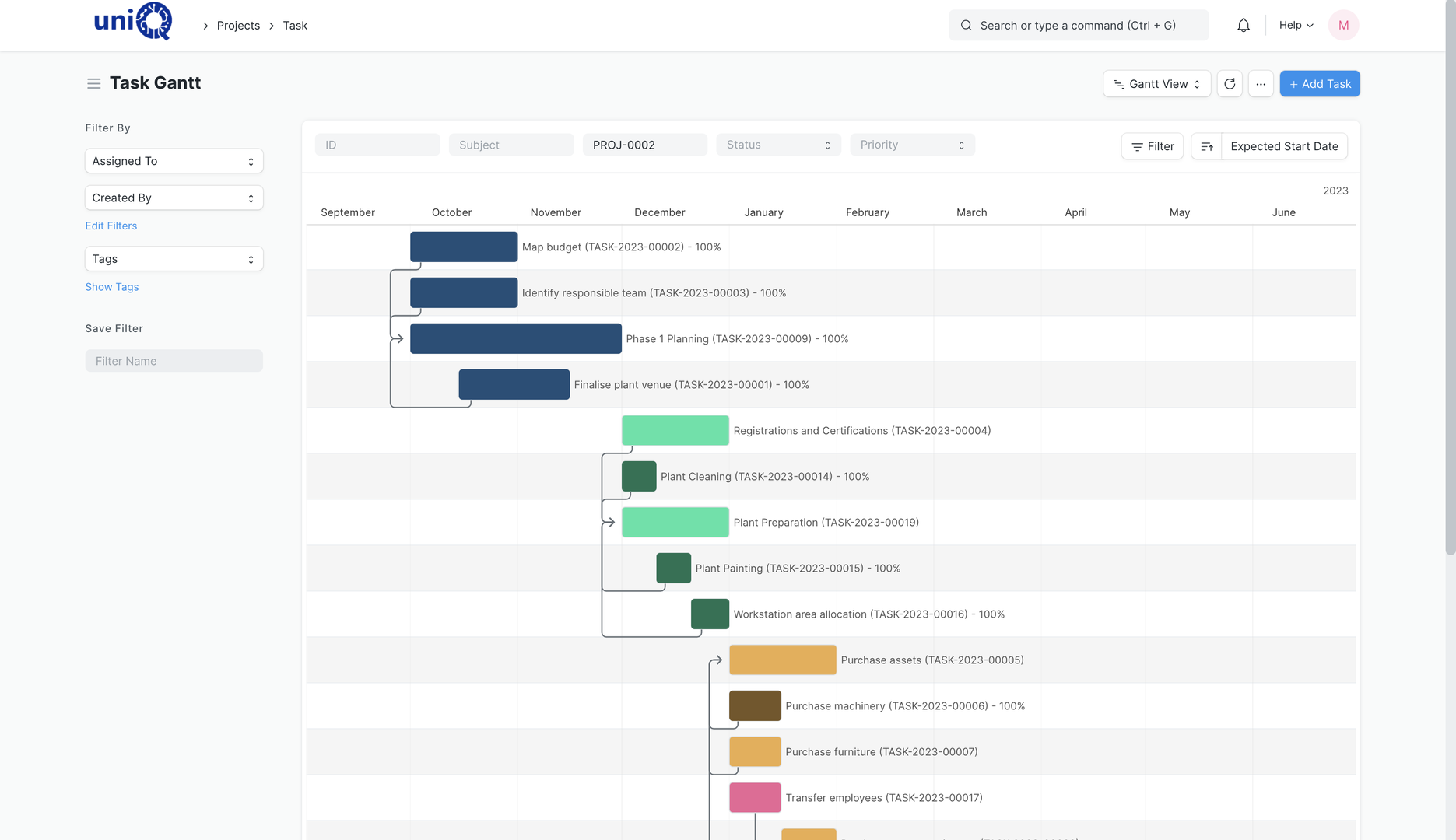
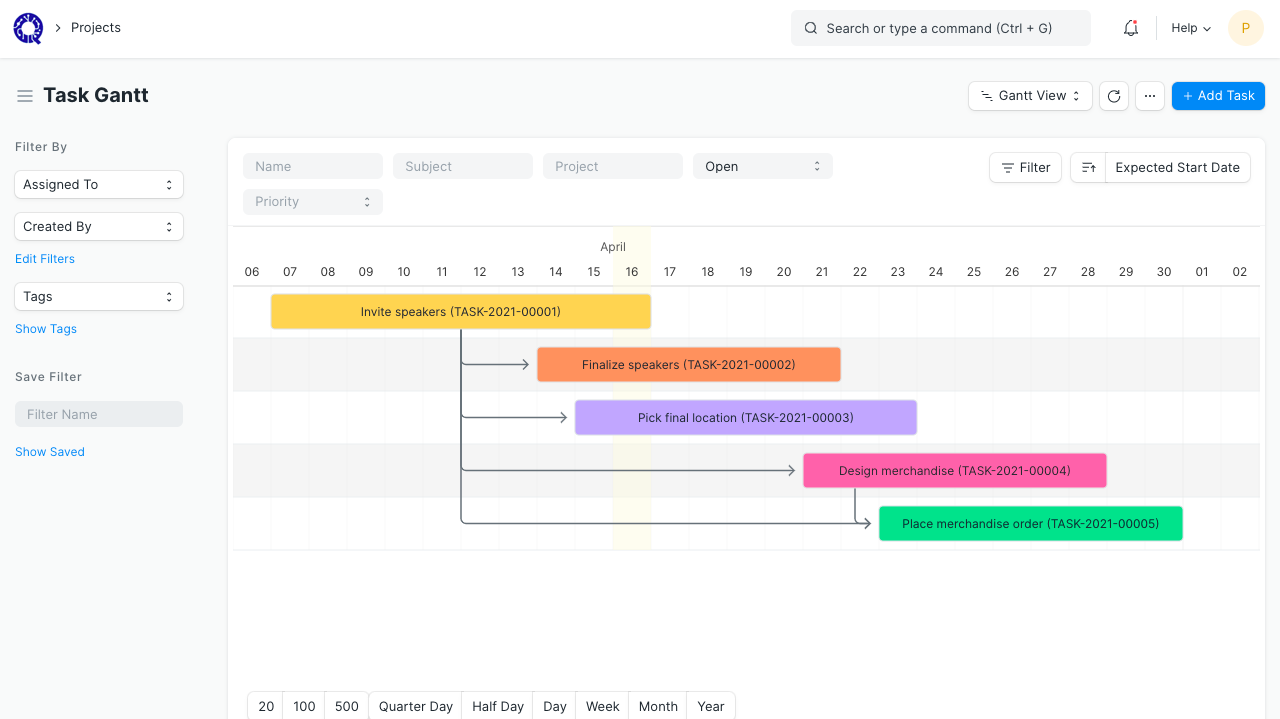
- Task dependencies: survey before design, design approval before production, production before installation
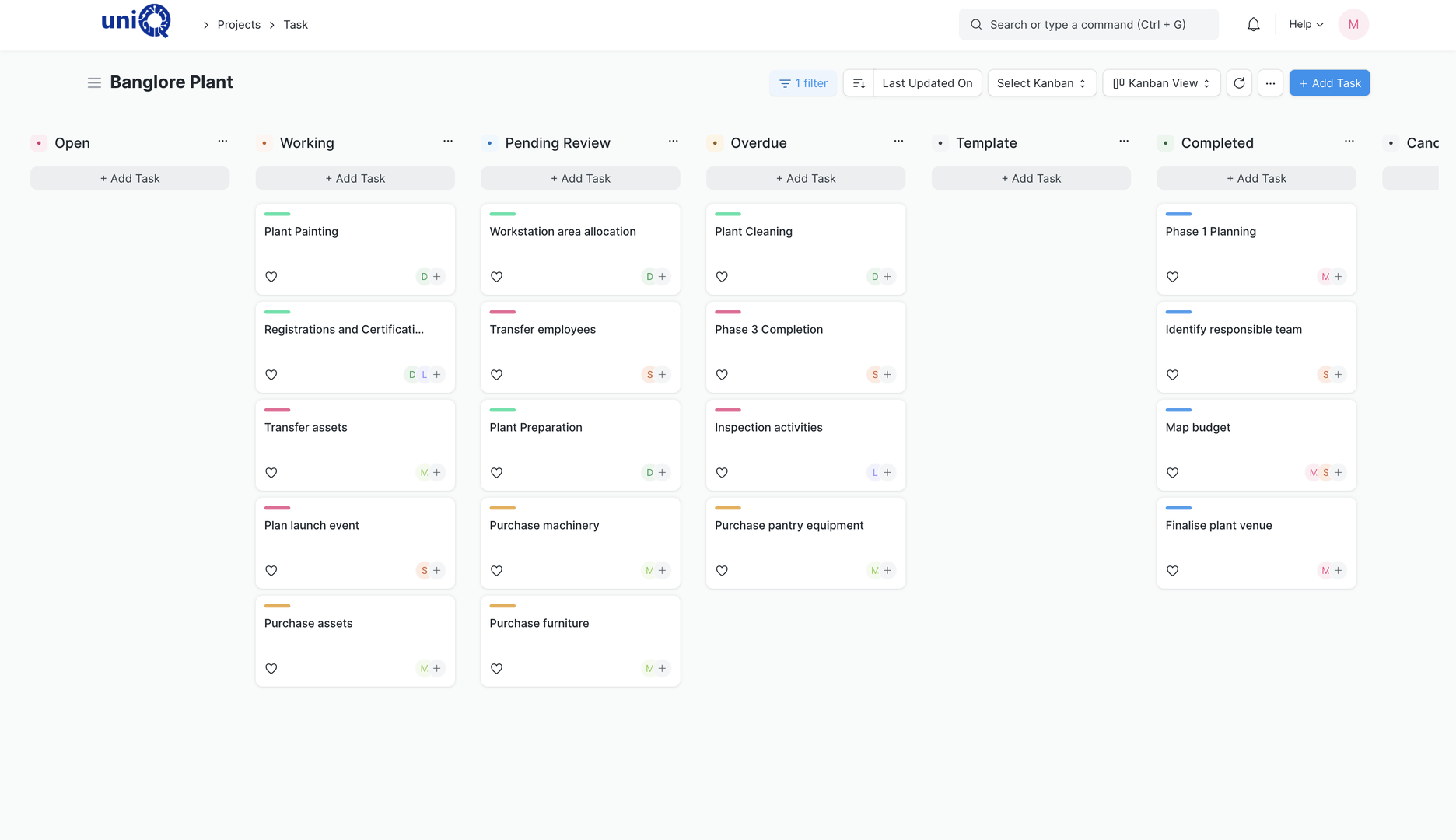
- Gantt, Kanban and calendar views of tasks per project
- Material requirements: material requests raised against the project and tracked to purchase order and receipt
- Production status: work orders linked to the project show planned, in-process and completed quantities
- Installation schedule: per-site installation tasks with dates, team and vehicleConfigured
- Site dependencies: an installation cannot be started until civil, power or permission tasks are closedConfigured
- Issues raised against the project or site, from a site engineer, the customer or the office
- Approvals for drawings, samples and scope changes recorded on the project with the approver and dateConfigured
- Timesheets for design, fabrication and installation hours booked to the project
- Project documents: drawings, artwork, site photos, PO, work completion certificates as attachments
- Project billing: milestone or site-wise invoices raised from the sales order with the project reference
- Project costing and gross margin: purchase, stock consumption, labour, expenses and subcontracting against project value
- Budget per project or cost centre with budget versus actual comparison
In a signage business
Project types that run on this module
- 01
Multi-store retail rollout
One parent project for the brand, one child project per store. Survey, artwork approval, production, dispatch and installation tracked per store; the parent shows how many stores are at each stage.
- 02
Single large signage job
A pylon or building facade sign with milestones for design approval, structure fabrication, cladding, lighting and installation. Material requests and work orders link back to the project.
- 03
Tender or government contract
Scope, BOQ, milestones and documentation requirements captured on the project. Work completion certificates and measurement sheets attached for milestone billing.
- 04
Retail branding and fit-out
In-store branding elements across multiple sites with per-site task lists, installation dates and a punch list of issues before handover.
- 05
Digital signage deployment
Screens, players and mounts tracked by serial number per site; installation and commissioning tasks per site; handover to the service module for AMC.
- 06
Exhibition and event branding
Short projects with hard deadlines. Task dependencies and the Gantt make it clear what must finish by which date, and expenses land on the project.
Key workflows
From customer PO to closed, costed project
Create the project from the sales order
The customer PO becomes a sales order and a project. Value, customer, project manager, dates and the site list are set up. For a rollout, per-site child projects or task groups are created from a template.
Plan milestones, tasks and dependencies
Survey, design, approval, production, dispatch and installation are tasks with dates and owners. Dependencies stop an installation task from starting before approval and production are done.
Assign responsibilities
Each task is assigned to a designer, purchase executive, production supervisor or installation lead. Their To Do list shows what is due, and overdue items are visible to the project manager.
Raise material and production against the project
Material requests, purchase orders and work orders carry the project reference. The project shows what is ordered, what has arrived and what the factory has finished, site by site.
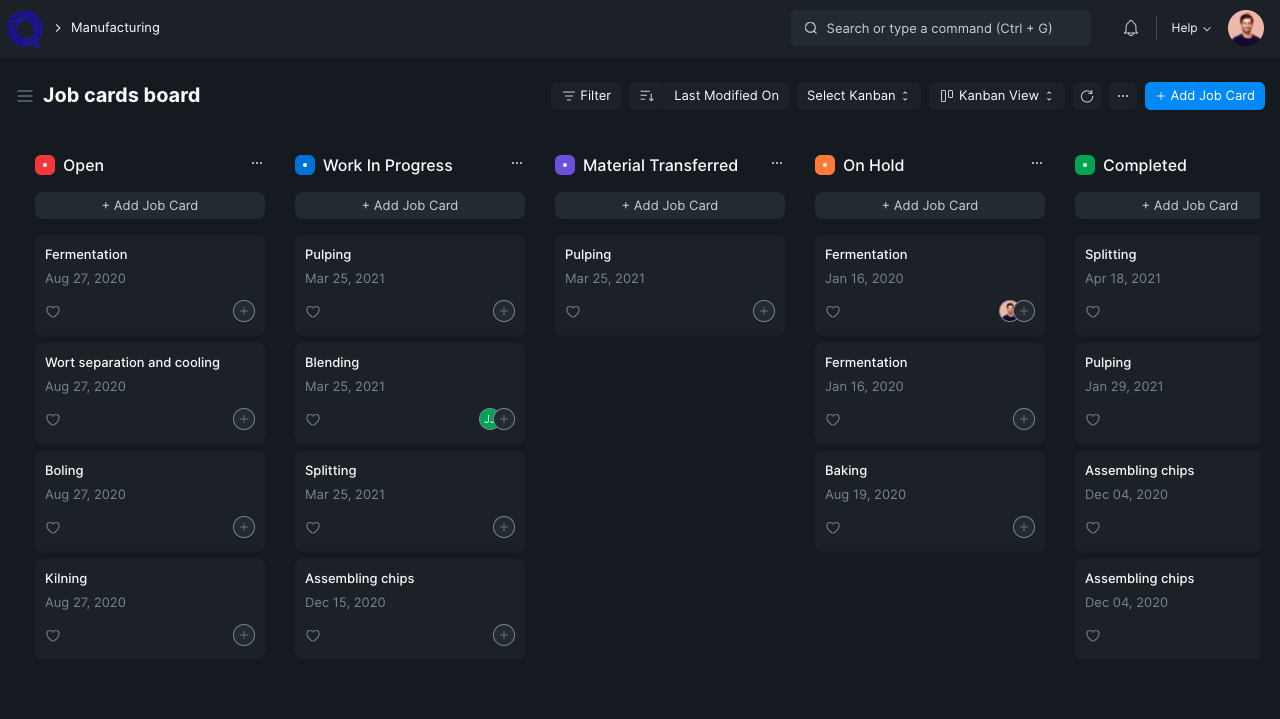
Schedule installation and track site issues
Installation tasks per site carry the date, team and vehicle. Site engineers raise issues with photos from the site; approvals and revised drawings are attached to the project.
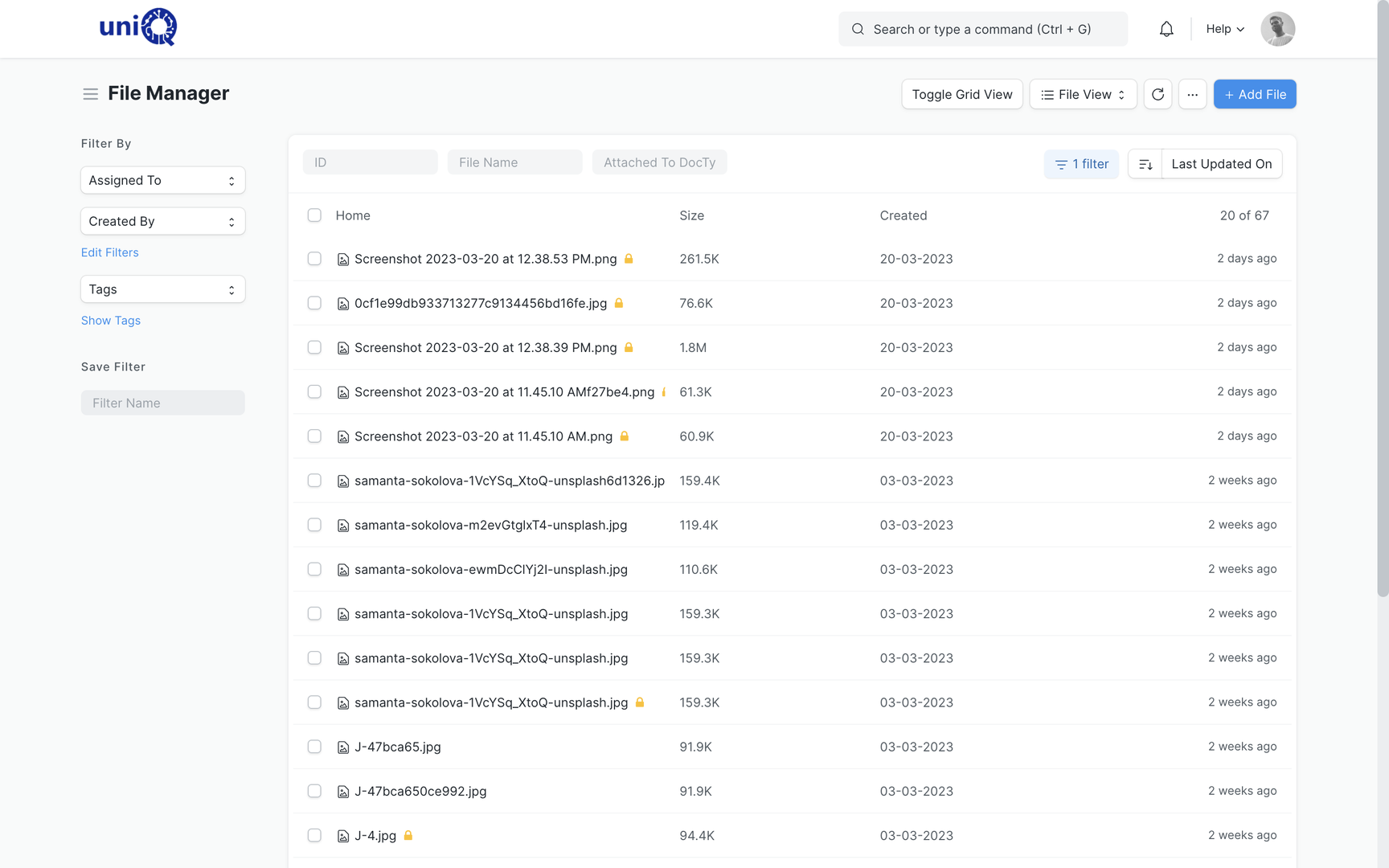
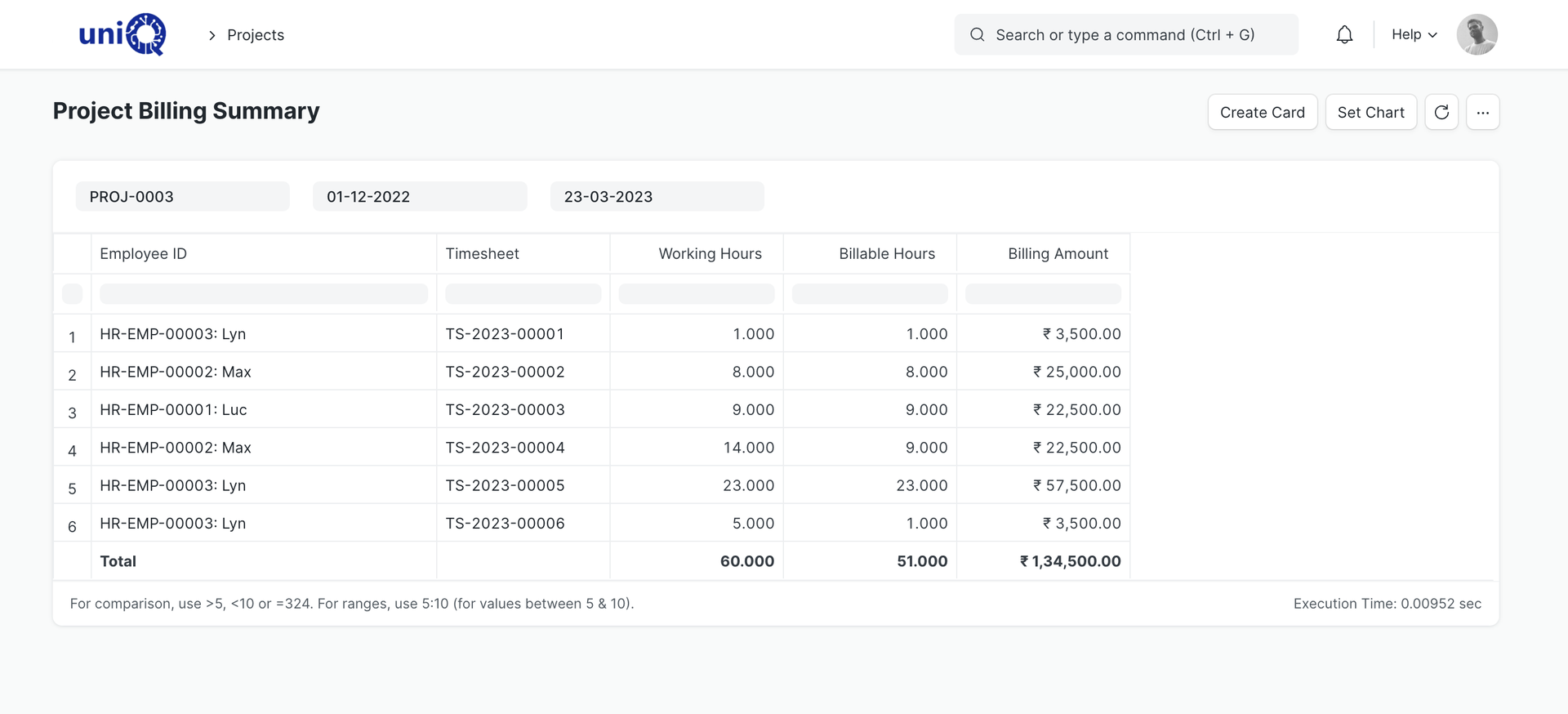
Bill by milestone or site
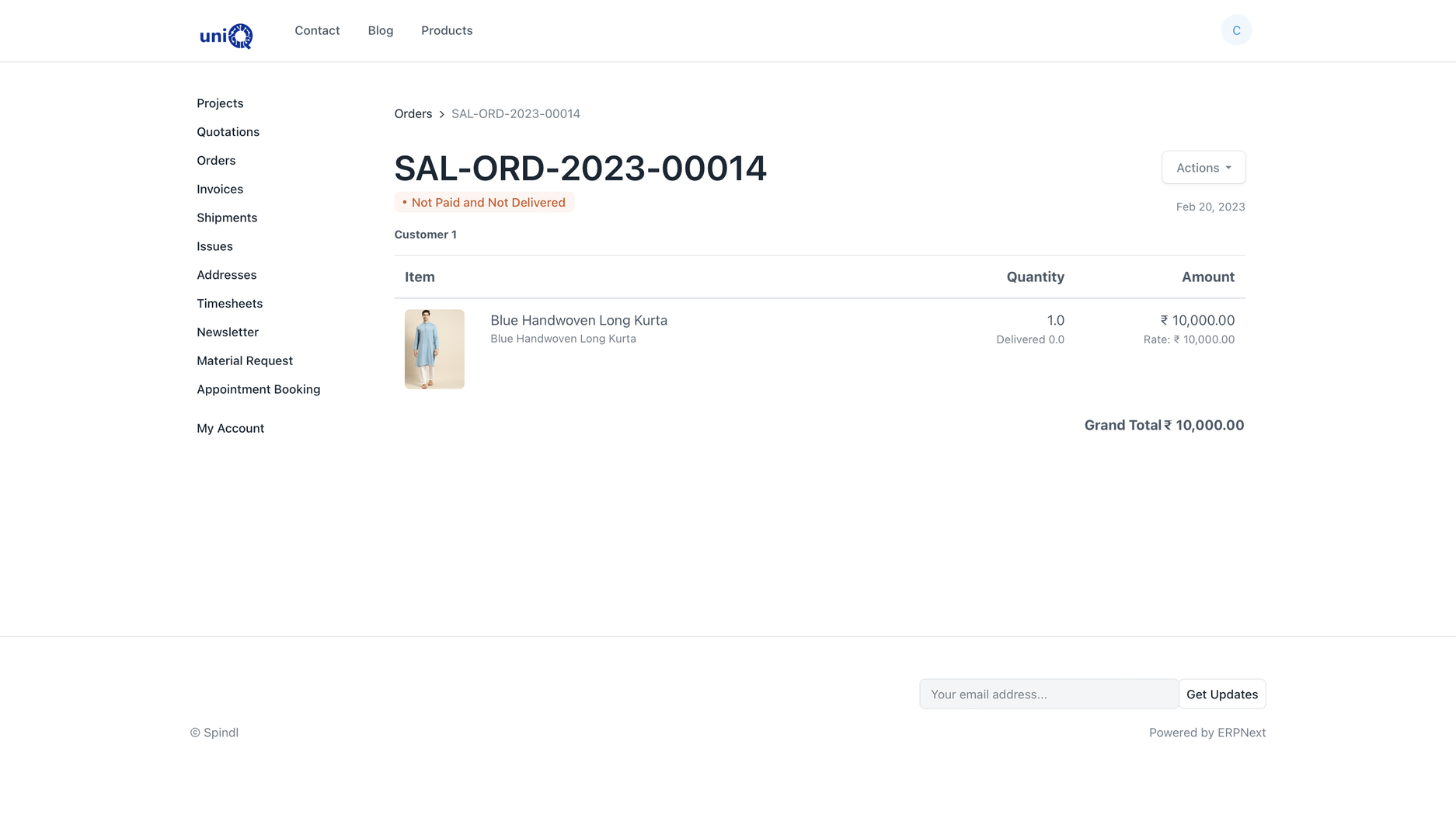
When a milestone or site is marked complete, the invoice is raised from the sales order with the project reference. Timesheet-based billing is available for design or service hours.
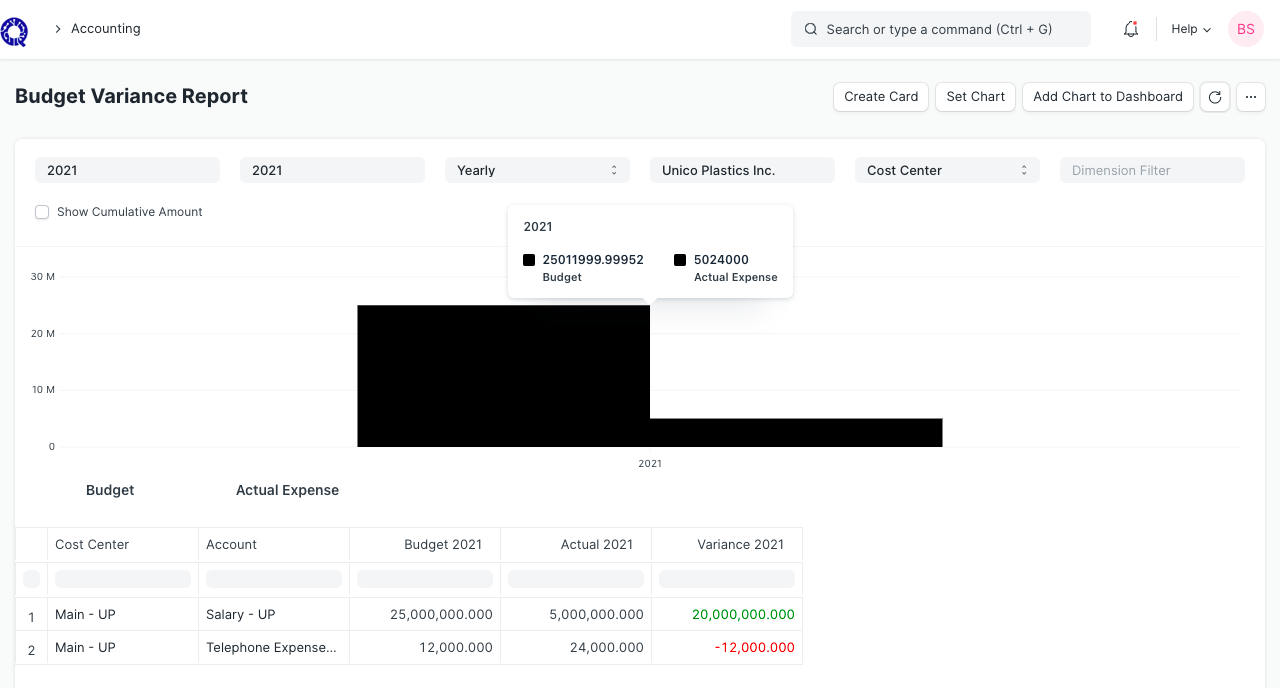
Review cost and margin
Purchase, stock consumption, labour, expenses and subcontracting are compared to the project value and budget. The owner sees the gross margin while the project is running, not months later.
Screens
What your team works in
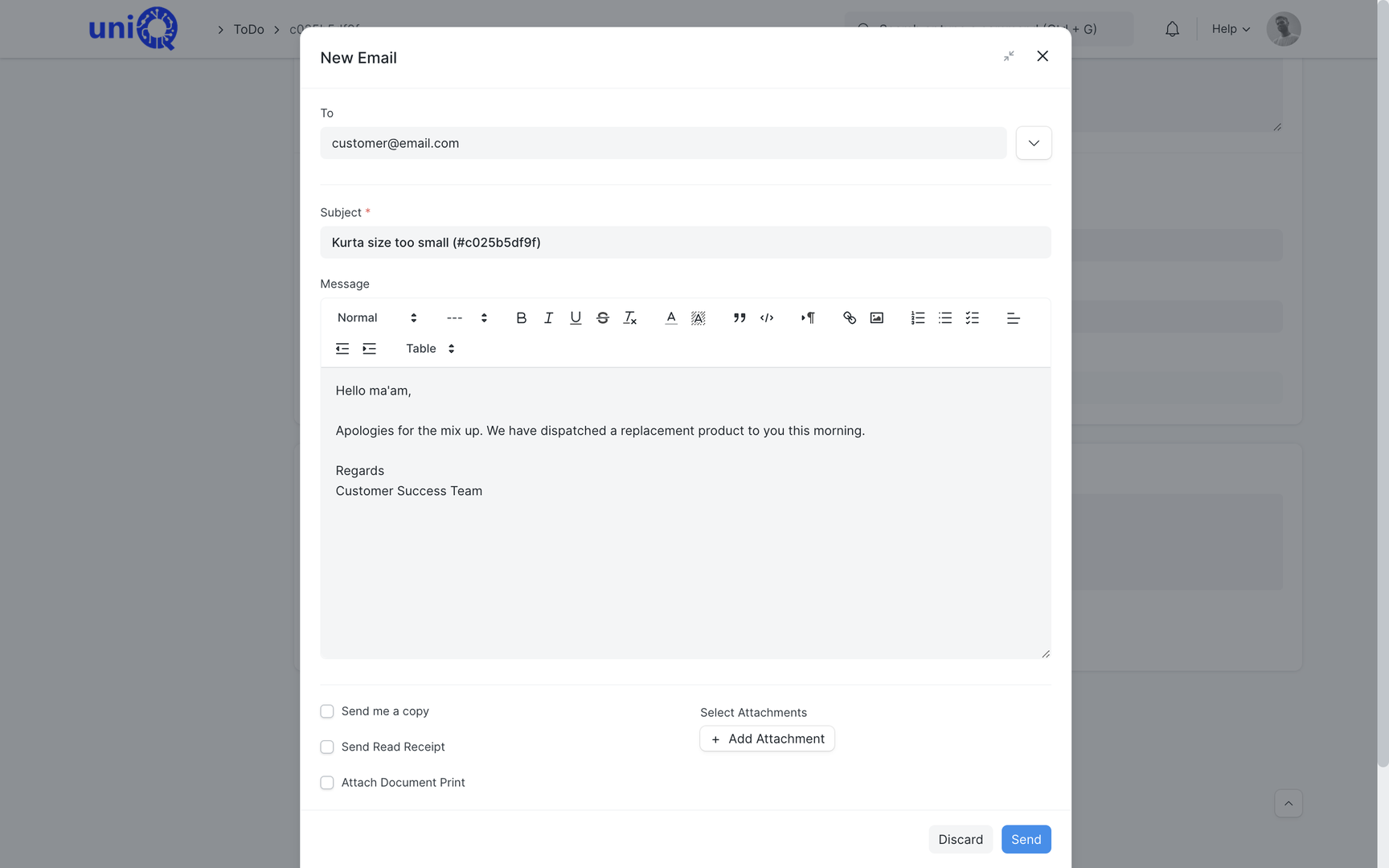
Layouts, naming and print formats are configured to your business during implementation.
Business outcomes
What changes for the owner and the project manager
- Status of every site in a rollout is visible without a phone call or a spreadsheet.
- Material is requested against the project, so shortages and surplus are known before installation day.
- Installation dates, teams and vehicles are planned on the record, not in a chat group.
- Dependencies stop work from starting before approvals are in.
- Site issues and client approvals are recorded with the person, date and attachment.
- Milestone and site-wise bills are raised when the stage completes, not when someone remembers.
- Cost and gross margin per project are visible while the project is live.
- Handover to AMC and service starts from the same project record.
Connected
Every module reports into the project
The project reference travels on sales orders, material requests, purchase orders, work orders, stock entries, timesheets, expense claims, invoices and issues. That is what makes project-wise status and profitability possible without manual compilation.
External integrations, scoped separately
- Google Drive or shared folder links for drawing and artwork files
- WhatsApp or SMS notifications for task and installation updates
- Mobile app for site engineers to update tasks and raise issues with photos
Who uses it
Who works in the project module
- ODOwner / Director
- PMProject Manager
- SESite Engineer
- IHInstallation Head
- DHDesign Head
- PMPurchase Manager
- AMAccounts Manager
- CCustomer (portal)
FAQ
Project Management: common questions
How are multi-site rollouts handled?
A parent project holds the customer, value and overall dates. Each site is set up as a child project or a group of tasks with its own dates, team and status. This structure is configured during implementation and reused for every rollout.
Can the customer see project progress?
Yes. The customer portal can show the customer their projects, orders, invoices and issues. What they see is controlled by permissions.
Do site engineers need to be at a computer?
Tasks, issues and site photos can be updated from a phone browser or the mobile app. Geo check-in from the HR module records who was at which site.
How does project profitability work?
Every purchase, stock issue, timesheet, expense and invoice carries the project reference. The project shows total cost against project value, so gross margin is available without a separate exercise.
See ClassicNext running your business
A 30-minute fitment call: we understand your current process, show the modules that matter to you, and give indicative pricing. No generic tour.
Prefer to start smaller? Get a process audit or request pricing.