Industry: large-format and signage printing
ERP for large-format printing businesses that also fabricate and install
Flex, vinyl, fabric, backlit and hoarding jobs move fast: quote by the square foot today, print tonight, install tomorrow. ClassicNext connects the quotation, the job order, media and ink consumption, finishing, dispatch, installation and the GST invoice, so every job is costed and billed without a second spreadsheet.
- Large-format digital printers on flex, vinyl, canvas and fabric
- Backlit and hoarding printers with fabrication and installation crews
- Print shops serving retail, events and exhibition customers
- Printers with rate contracts and repeat corporate customers
- Printers adding laser, CNC and framing to their offering
- Multi-branch print businesses with a central production unit
Why ERP
Why a print business needs job-level costing, not just billing
Most print businesses know their monthly media purchase and their monthly sales. Few know what one hoarding job actually consumed. ClassicNext ties consumption to the job order, so the rate you quote per square foot can be checked against real media, ink, finishing and installation cost.
- 01
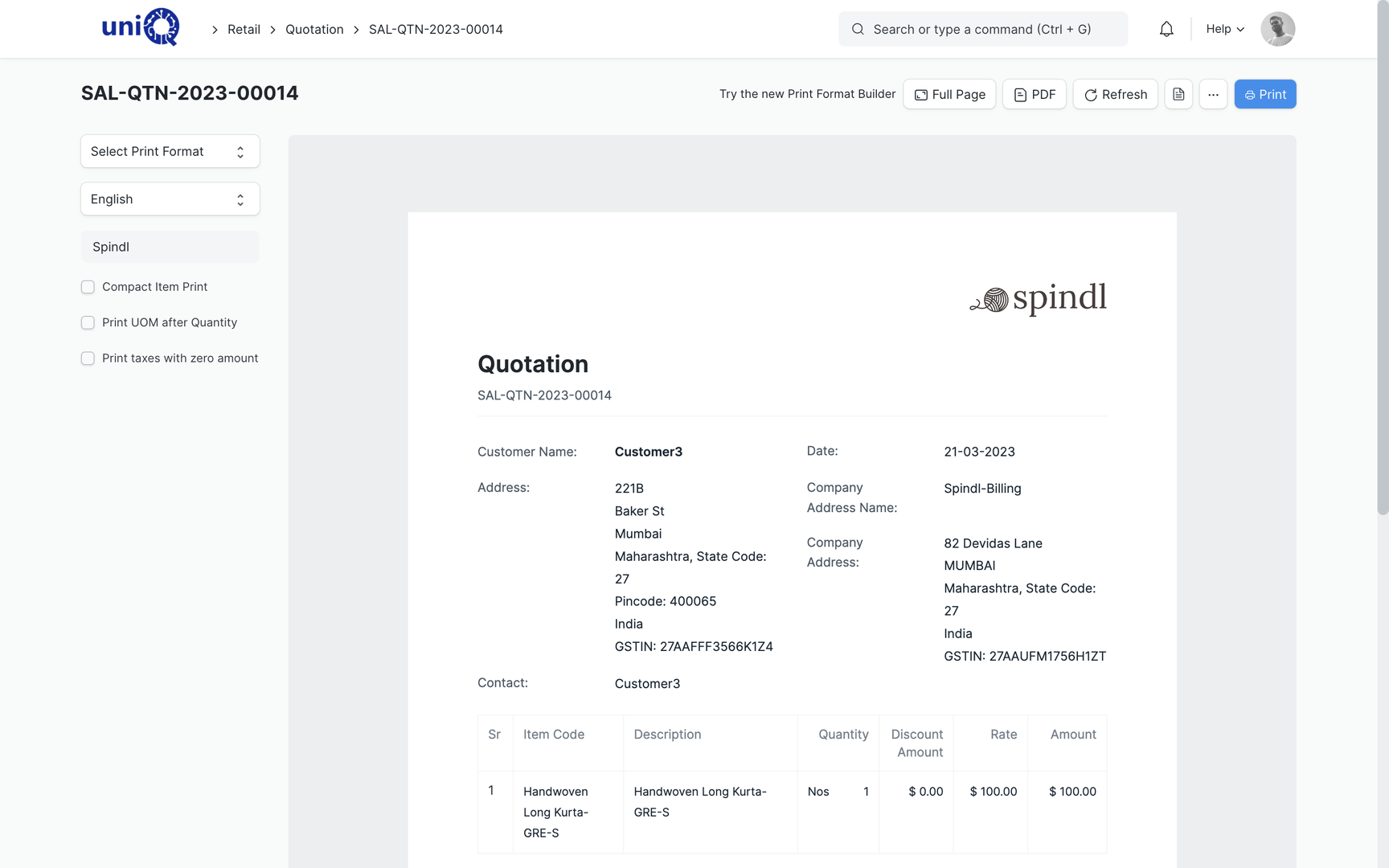
Quotation by area and material: width, height and media type drive the line amount.
- 02
Job order per print job with the artwork, size, quantity and finishing spec attached.
- 03
BOM per job with square-foot based quantities for media, lamination and ink, configured during implementation.
- 04
Machine capacity by printer so delivery promises are made against real load.
- 05
Finishing operations (eyeleting, pasting, framing, stitching) as job-card steps.
- 06
GST invoice from the delivery note, with rate contracts applied for repeat customers.
Operational problems
Problems printers bring to us
- !
Rates are quoted from memory
The rate per square foot is quoted differently by different people to the same customer. Rate contracts exist on paper but not in the system.
- !
Media consumption is a monthly guess
Rolls are issued to the machine, not to the job. Wastage and reprints are invisible until stock is counted.
- !
The job board is a whiteboard
What is printing, what is in finishing and what is ready for dispatch is known only to the floor in-charge.
- !
Installation is a separate business
Print is billed but the installation crew, scaffolding and travel are not costed to the job.
- !
Repeat customers are billed late
Monthly billing to corporate customers waits for someone to collect all delivery challans of the month.
- !
Machine time is never measured
Which printer is overloaded and which is idle is not known, so outsourcing decisions are taken late.
Complete workflow
The print job lifecycle in ClassicNext
Print jobs run through the same lifecycle as any project business, but faster and in higher volume. The highlighted steps carry the print-specific set-up: area-based quotation, per-job consumption and quick dispatch and billing.
- Win
- Commit
- Make
- Deliver
- Get paid
- Support
- 1Lead / EnquiryCRM
- 2TenderCRM
- 3BOQ / EstimationCRM
- 4QuotationCRM
- 5Customer POSales & Procurement
- 6Project CreationProjects
- 7ProcurementSales & Procurement
- 8ProductionManufacturing
- 9Quality CheckManufacturing
- 10DispatchSales & Procurement
- 11InstallationProjects
- 12CompletionProjects
- 13BillingFinance
- 14CollectionsFinance
- 15AMC / ServiceService
Modules
The modules this industry uses most
- Sales & ProcurementOrders, purchase requisitions, RFQs, POs
- ManufacturingBOMs, work orders, job cards, costing
- CRMLeads, quotations, tenders, pipeline
- Financial AccountingProject-wise profitability, GST, receivables
- Project ManagementSites, milestones, tasks, profitability
- Asset ManagementMachines, vehicles, installed assets
- Service CenterInstallation, warranty & AMC
Example business processes
How the day-to-day work runs
Quotation by area and material
Job order, printing and finishing
Dispatch and installation
Management dashboards
What the owner and the production head see
Every tile is a live view over transactions, configured during implementation. Not a spreadsheet someone compiles on Monday.
Jobs by stage: quoted, confirmed, printing, finishing, ready, dispatched, billed
Printer-wise load for the next days
Media consumed per job vs BOM
Wastage and reprints by job and by reason
Sales by customer, media type and month
Rate contract customers and their outstanding
Delivered but uninvoiced jobs
Installation jobs pending by crew
Implementation
Five steps, defined outputs
- 01Business Discovery
- 02Process Mapping
- 03Configuration
- 04Data Migration & Training
- 05UAT & Go-Live
- Current-process walkthrough · Pain points by department · Module shortlist and rough scope
- Process maps per department · Document and approval flows · Gap list: standard vs configured vs custom
- Masters and chart of accounts · Roles and permissions · Print formats and reports
- Master data and opening balances · Role-based training sessions · User guides for daily work
- Scripted user acceptance tests · Go-live checklist and cut-over · Post-go-live support window
Pricing starting point
Most businesses here start with Operations ERP
Final pricing depends on modules, users, locations, integrations, data migration and customisation.
Foundation ERP
from ₹2.95 lakh + GST
- Finance
- CRM
- Sales & Procurement
- Basic Projects
Operations ERP
from ₹5.95 lakh + GST
- + Manufacturing
- + Full Projects
- + HR & Payroll
- + Service
Signage Enterprise ERP
from ₹8.95 lakh + GST
- + Assets
- + Tender tracking
- + Multi-site rollouts
FAQ
ERP for large-format printing: common questions
Can quotations be made in square feet with different media rates?
Yes. Items are set up with width, height and area so the line amount follows the size and the media rate. Customer-specific rate contracts are applied through price lists. Area-based pricing is configured during implementation.
How is media and ink consumption tracked per job?
Each job has a BOM with square-foot based quantities for media, lamination and ink, configured during implementation. Rolls are issued against the job order, and actual consumption is recorded on completion so wastage shows up per job.
We have many small jobs a day. Is this too heavy?
Standard jobs use a template BOM and a one-click flow from sales order to job order to delivery note. The level of detail you record per job is decided during process mapping, so high-volume simple jobs stay quick.
Can machine capacity be planned?
Each printer is a workstation with available hours. Job orders are scheduled against them, so overload is visible before you commit a delivery date. Capturing data from the machine itself is a separate integration.
How does GST billing work for interstate installation jobs?
Sales invoices carry GSTIN, place of supply and the tax template that fits the transaction. E-invoice and GST-portal filing are integrations scoped separately. Your CA’s treatment for supply plus installation is set up during implementation.
What does it cost for a print business?
Pricing is starting-from and depends on scope: users, modules, area-based pricing set-up, print formats and integrations. A scoping call gives you a fixed proposal.
See ClassicNext set up for a large-format printing business
A 30-minute fitment call: we understand your current process, show the modules that matter to you, and give indicative pricing. No generic tour.
Prefer to start smaller? Get a process audit or request pricing.