Industry: made-to-order and engineer-to-order manufacturing
ERP for project-based manufacturing: build to PO, deliver to site
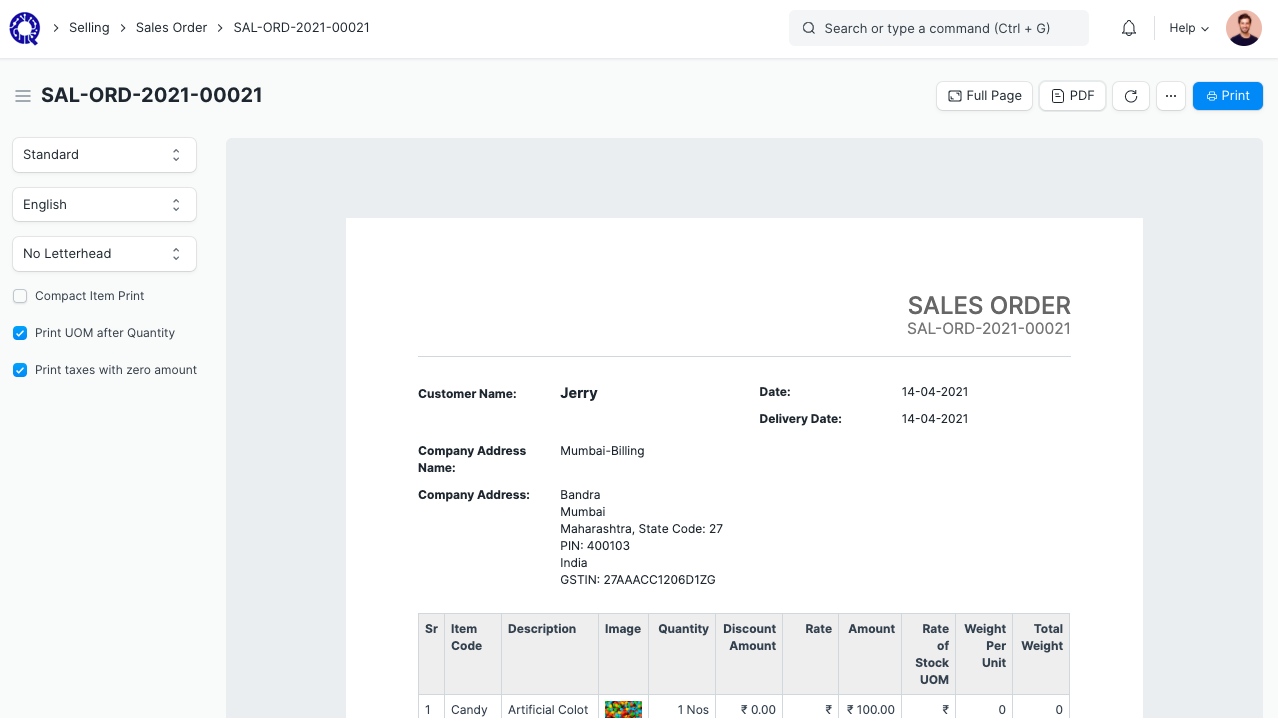
When every order is built to a customer PO and delivered or installed at a site, the project is the unit of the business, not the item. ClassicNext links every quotation, purchase, work order, dispatch, installation and invoice to the project it belongs to, so milestone billing and project-wise profitability come from the records, not from a month-end exercise.
- Furniture and fixture manufacturers supplying offices, retail and hospitality
- Kiosk, counter and display unit builders
- Modular structure and prefabricated cabin manufacturers
- Industrial fabrication and equipment builders working to customer drawings
- Interior fit-out contractors with their own factory
- Engineer-to-order manufacturers with installation teams in several cities
Why ERP
Why make-to-order manufacturers outgrow a stock-and-sell ERP
A standard manufacturing ERP is built for repeat items and stock. A project-based manufacturer needs the opposite: one-off BOMs, purchases tied to a job, dispatch in phases, installation at the customer’s site and invoices on milestones. ClassicNext puts the project at the centre and hangs every document from it.
- 01
Project created from the customer PO, with sites, milestones, budget and manager.
- 02
Quotation, sales order, material requests and purchase orders carry the project reference.
- 03
Work orders and job cards per project, with material issued against the job.
- 04
Phased dispatch with delivery notes per site or per lot.
- 05
Installation jobs for multi-location teams with dates, expenses and completion evidence.
- 06
Milestone invoices and project-wise profitability from the same records.
Operational problems
Problems project manufacturers bring to us
- !
Documents are linked by memory
The PO, the purchases, the work orders and the invoices for one job sit in different files. Only the project manager knows they belong together.
- !
Purchases are not tied to jobs
Material is bought for the factory, not for the project. Which job consumed what is worked out at year end, if at all.
- !
Milestone billing is missed
Advance, on-dispatch and on-installation invoices are raised late because nobody is prompted when the milestone is reached.
- !
Installation teams are unmanaged
Crews in different cities report over phone. Site expenses, delays and completion are recorded after the fact.
- !
Profitability is known too late
Whether a project made money is discovered after the final invoice, when nothing can be corrected.
- !
Changes are not recorded
Scope changes agreed on site are built and delivered but never quoted, approved or billed.
Complete workflow
The project manufacturing lifecycle in ClassicNext
Every step from enquiry to service is linked to the project. The highlighted steps are where a make-to-order manufacturer needs the project link most: order, procurement, production, dispatch, installation and milestone billing.
- Win
- Commit
- Make
- Deliver
- Get paid
- Support
- 1Lead / EnquiryCRM
- 2TenderCRM
- 3BOQ / EstimationCRM
- 4QuotationCRM
- 5Customer POSales & Procurement
- 6Project CreationProjects
- 7ProcurementSales & Procurement
- 8ProductionManufacturing
- 9Quality CheckManufacturing
- 10DispatchSales & Procurement
- 11InstallationProjects
- 12CompletionProjects
- 13BillingFinance
- 14CollectionsFinance
- 15AMC / ServiceService
Modules
The modules this industry uses most
- Project ManagementSites, milestones, tasks, profitability
- ManufacturingBOMs, work orders, job cards, costing
- Sales & ProcurementOrders, purchase requisitions, RFQs, POs
- Financial AccountingProject-wise profitability, GST, receivables
- HR & PayrollAttendance, payroll, expenses, appraisals
- CRMLeads, quotations, tenders, pipeline
- Service CenterInstallation, warranty & AMC
Example business processes
How the day-to-day work runs
From PO to project
Project-linked procurement and production
Dispatch and multi-location installation
Management dashboards
What the owner and the CFO see
Every tile is a live view over transactions, configured during implementation. Not a spreadsheet someone compiles on Monday.
Projects by stage with value and planned completion
Project-wise profitability: quoted, cost to date, billed, margin
Milestones due for billing this week
Purchase orders and receipts per project
Work orders per project by status
Dispatched vs pending per site
Installation teams by location and current site
Outstanding, advances and retention per customer
Implementation
Five steps, defined outputs
- 01Business Discovery
- 02Process Mapping
- 03Configuration
- 04Data Migration & Training
- 05UAT & Go-Live
- Current-process walkthrough · Pain points by department · Module shortlist and rough scope
- Process maps per department · Document and approval flows · Gap list: standard vs configured vs custom
- Masters and chart of accounts · Roles and permissions · Print formats and reports
- Master data and opening balances · Role-based training sessions · User guides for daily work
- Scripted user acceptance tests · Go-live checklist and cut-over · Post-go-live support window
Pricing starting point
Most businesses here start with Operations ERP
Final pricing depends on modules, users, locations, integrations, data migration and customisation.
Foundation ERP
from ₹2.95 lakh + GST
- Finance
- CRM
- Sales & Procurement
- Basic Projects
Operations ERP
from ₹5.95 lakh + GST
- + Manufacturing
- + Full Projects
- + HR & Payroll
- + Service
Signage Enterprise ERP
from ₹8.95 lakh + GST
- + Assets
- + Tender tracking
- + Multi-site rollouts
FAQ
ERP for project-based manufacturing: common questions
Is every purchase and work order really linked to a project?
Yes. Material requests, purchase orders, receipts, work orders, stock entries, delivery notes and invoices carry the project field, and cost accumulates on the project. Making the link mandatory on the documents you choose is configured during implementation.
How does milestone billing work?
Milestones are set on the project with a billing amount or share. When a milestone is marked complete, the invoice is raised against the sales order for that portion. Automatic reminders for due milestones are configured during implementation.
Can teams in different cities use it?
Installation teams log in from a phone browser to see their site jobs, mark attendance with location, claim expenses and upload completion photos. Separate cost centres or branches per location are set up if you need location-wise reporting.
How are scope changes on site handled?
A change is recorded as a revised quotation or an additional sales order line linked to the same project, approved by the customer and then billed. The approval flow is configured during implementation.
What about warranty and AMC after delivery?
The installed items can be recorded as customer assets with warranty dates, and complaints, service visits and AMC contracts are tracked in the service module against the same project and site.
What does an implementation cost?
Pricing is starting-from and depends on scope: users, modules, milestone billing set-up, print formats and integrations. A scoping call gives you a fixed proposal.
See ClassicNext set up for a project-based manufacturing business
A 30-minute fitment call: we understand your current process, show the modules that matter to you, and give indicative pricing. No generic tour.
Prefer to start smaller? Get a process audit or request pricing.