One connected operating system
ERP for Signage, Retail Branding & Project Businesses
Enquiry, tender, BOQ, procurement, production, installation, billing and collections. One platform, one record per project.
See How It WorksBuilt for growing businesses that need better control across sales, projects, production, people and finance.
- Lifecycle steps covered
- 15
- Modules, one platform
- 8
- Implementation steps
- 5
- Fitment call
- 30 min
The problem
Your business has grown. Your systems haven't.
Five tools, five versions of the truth. Here is where the money and the time leak between them.
- 1
Sales
Quotation revised by copy-paste; margin guessed
- 2
Purchase
PO on WhatsApp, not linked to the project
- 3
Factory
Material issued on a slip; consumption unknown
- 4
Site
Completion is a photo on a phone
- 5
Accounts
Invoice booked, project unknown
- Excel
- Tally
- Manual registers
One connected operating system
Sales, tenders, projects, procurement, production, installation, people and finance on one record.
The complete signage workflow
Fifteen steps, six phases, one platform
Every step is owned by a module and sits on the same customer, project and site record. Tap a step to open its module.
- Win
- Commit
- Make
- Deliver
- Get paid
- Support
- 1Lead / EnquiryCRM
- 2TenderCRM
- 3BOQ / EstimationCRM
- 4QuotationCRM
- 5Customer POSales & Procurement
- 6Project CreationProjects
- 7ProcurementSales & Procurement
- 8ProductionManufacturing
- 9Quality CheckManufacturing
- 10DispatchSales & Procurement
- 11InstallationProjects
- 12CompletionProjects
- 13BillingFinance
- 14CollectionsFinance
- 15AMC / ServiceService
What it is
Not accounting software. Not a CRM. Not just manufacturing.
Each of those covers one step. ClassicNext links sales, tendering, projects, procurement, production, installation, people and finance so the same project is visible from enquiry to AMC.
- A won quotation becomes the project, the BOM and the purchase list
- Production and installation status show on the project, not in a chat
- The invoice knows which project and site it belongs to
Industry-specific
Built around how signage businesses actually operate
- 01Tender managementConfiguredDeadlines, documents, eligibility, status
- 02Estimation & BOQMaterial, labour, subcontracting, margin
- 03Project managementSites, milestones, tasks, deadlines
- 04ProcurementRequirement → requisition → RFQ → PO
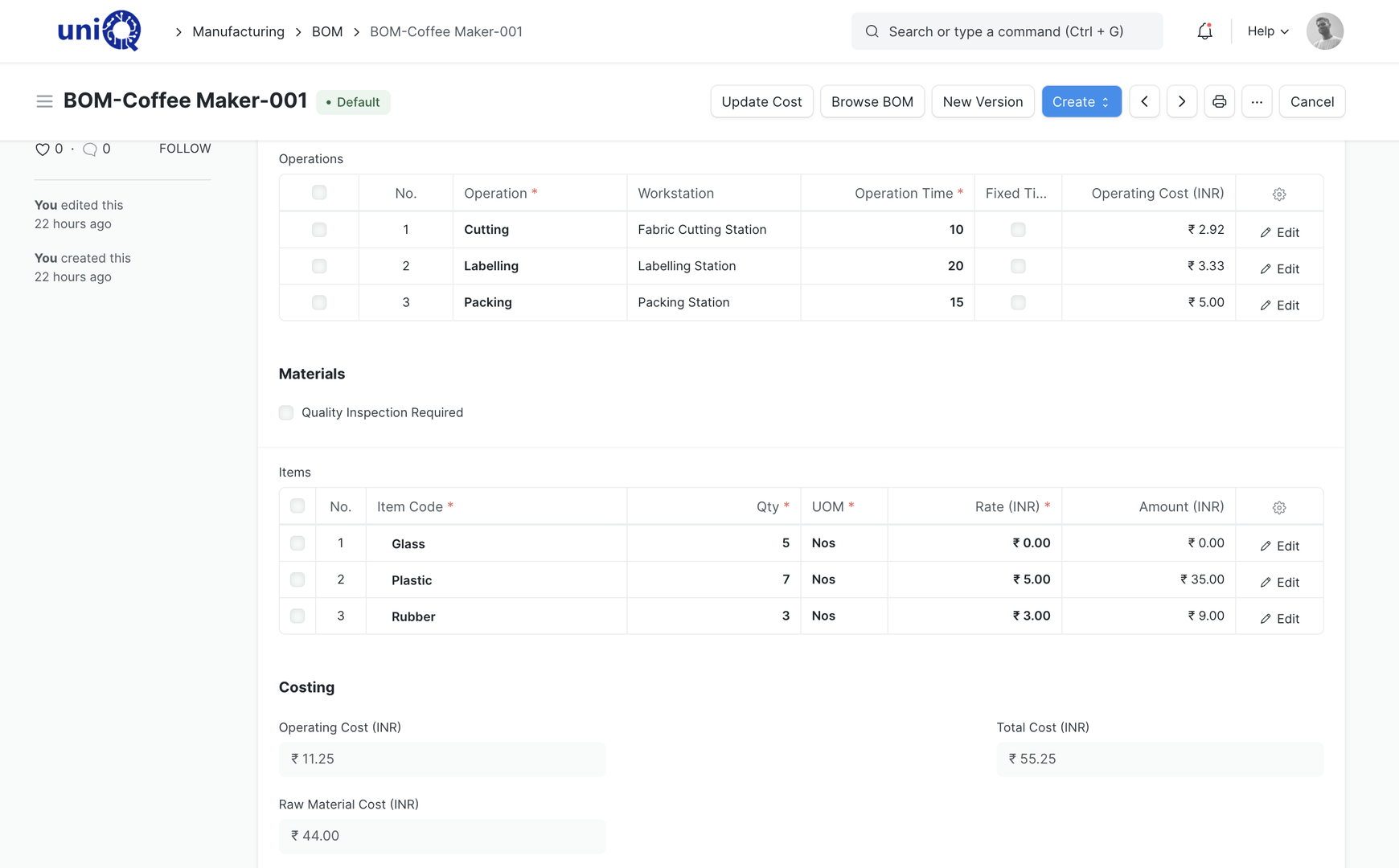
- 05ProductionBOM, work order, job card, consumption
- 06InstallationTeams, dates, material, completion
- 07Billing & collectionsCompletion → invoice → follow-up
- 08Management visibilityProfitability, pipeline, stock, cash
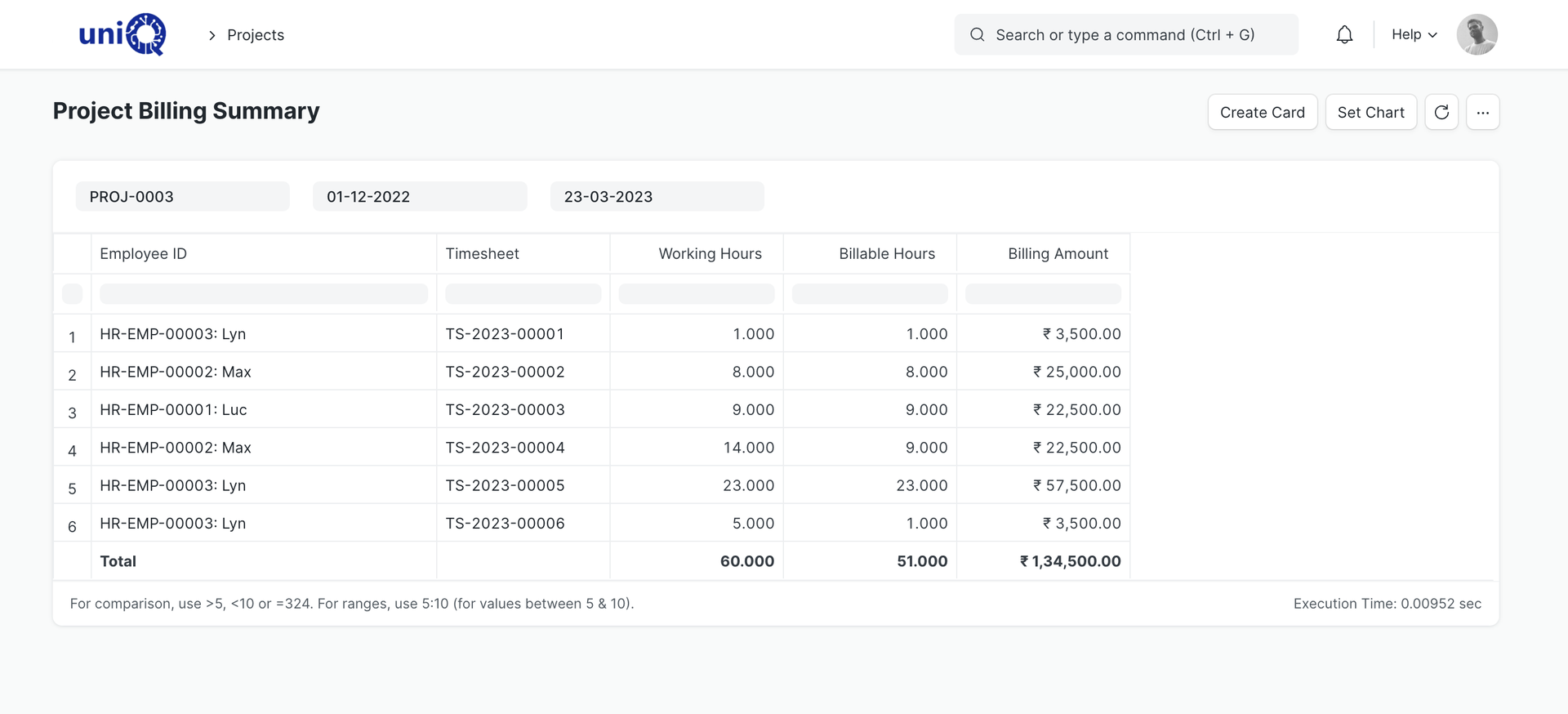
From estimate to actual
Know whether a project is actually profitable, not just whether it was billed
- 1BOQ wins the jobThe estimate becomes the bill of materials.
- 2Everything lands on the projectPurchases, work orders, subcontracting, site expenses.
- 3Margin is on screenQuoted vs actual, before the last invoice goes out.
Eight modules, one platform
Everything a project business runs on
Financial Accounting
Project-wise profitability, GST, receivables
Know whether a project is actually profitable, not just whether it was billed. Receivables, payables, GST, bank reconciliation, cost centres and project-wise P&L.
ExploreCRM
Leads, quotations, tenders, pipeline
Lead to customer PO for B2B project sales: site surveys, estimation, quotation versions, follow-ups, negotiation, lost reasons and tender opportunities.
Explore- Explore
Sales & Procurement
Orders, purchase requisitions, RFQs, POs
- Explore
HR & Payroll
Attendance, payroll, expenses, appraisals
- Explore
Manufacturing
BOMs, work orders, job cards, costing
- Explore
Project Management
Sites, milestones, tasks, profitability
- Explore
Service Center
Installation, warranty & AMC
- Explore
Asset Management
Machines, vehicles, installed assets
Industries
Made for businesses that build, deliver and install
Compare
Excel + WhatsApp + Tally vs ClassicNext
Today
- Leads.xlsx
- Quote-final-v3.xlsx
- BOQ sheet
- WhatsApp: PO
- Whiteboard
- Site photos
- Tally
- Monday report
Each box is a separate file, chat or register. Nothing is linked.
With ClassicNext
- Lead
- Quotation
- Project
- PO
- Work order
- Installation
- Invoice
- Dashboard
One record per customer, project and site. Every document links to the previous one.
Why operations leaders choose ClassicNext
Industry understanding first, software second
- 01
Industry understanding
ClassicNext is built and implemented with signage businesses. Tenders, BOQs, factory loads and site installations are workflows we map every week, not a case study we read.
- 02
ERP implementation expertise
A defined five-step method with process maps, role-based training, scripted UAT and hyper-care after go-live.
- 03
Business process mapping
Before configuration starts, every workflow is written down as it will run: who does what, at which step, with which document.
- 04
Single-platform approach
Eight modules on one platform. A customer, project, item or account is entered once and used everywhere.
How it works
Five steps from discovery to go-live
- 01Business Discovery
- 02Process Mapping
- 03Configuration
- 04Data Migration & Training
- 05UAT & Go-Live
- Current-process walkthrough
- Pain points by department
- Module shortlist and rough scope
- Process maps per department
- Document and approval flows
- Gap list: standard vs configured vs custom
- Masters and chart of accounts
- Roles and permissions
- Print formats and reports
- Master data and opening balances
- Role-based training sessions
- User guides for daily work
- Scripted user acceptance tests
- Go-live checklist and cut-over
- Post-go-live support window
Pricing
Three starting points, one scope ladder
Each package adds a layer. Final pricing depends on modules, users, locations, integrations, data migration and customisation.
Foundation ERP
from ₹2.95 lakh + GST
- Finance
- CRM
- Sales & Procurement
- Basic Projects
Operations ERP
from ₹5.95 lakh + GST
- + Manufacturing
- + Full Projects
- + HR & Payroll
- + Service
Signage Enterprise ERP
from ₹8.95 lakh + GST
- + Assets
- + Tender tracking
- + Multi-site rollouts
See it set up for a business like yours
Thirty minutes. Your process, the modules that matter, indicative pricing.