Asset management module
Machines, vehicles and tools on your side; screens and installed assets on the customer’s side
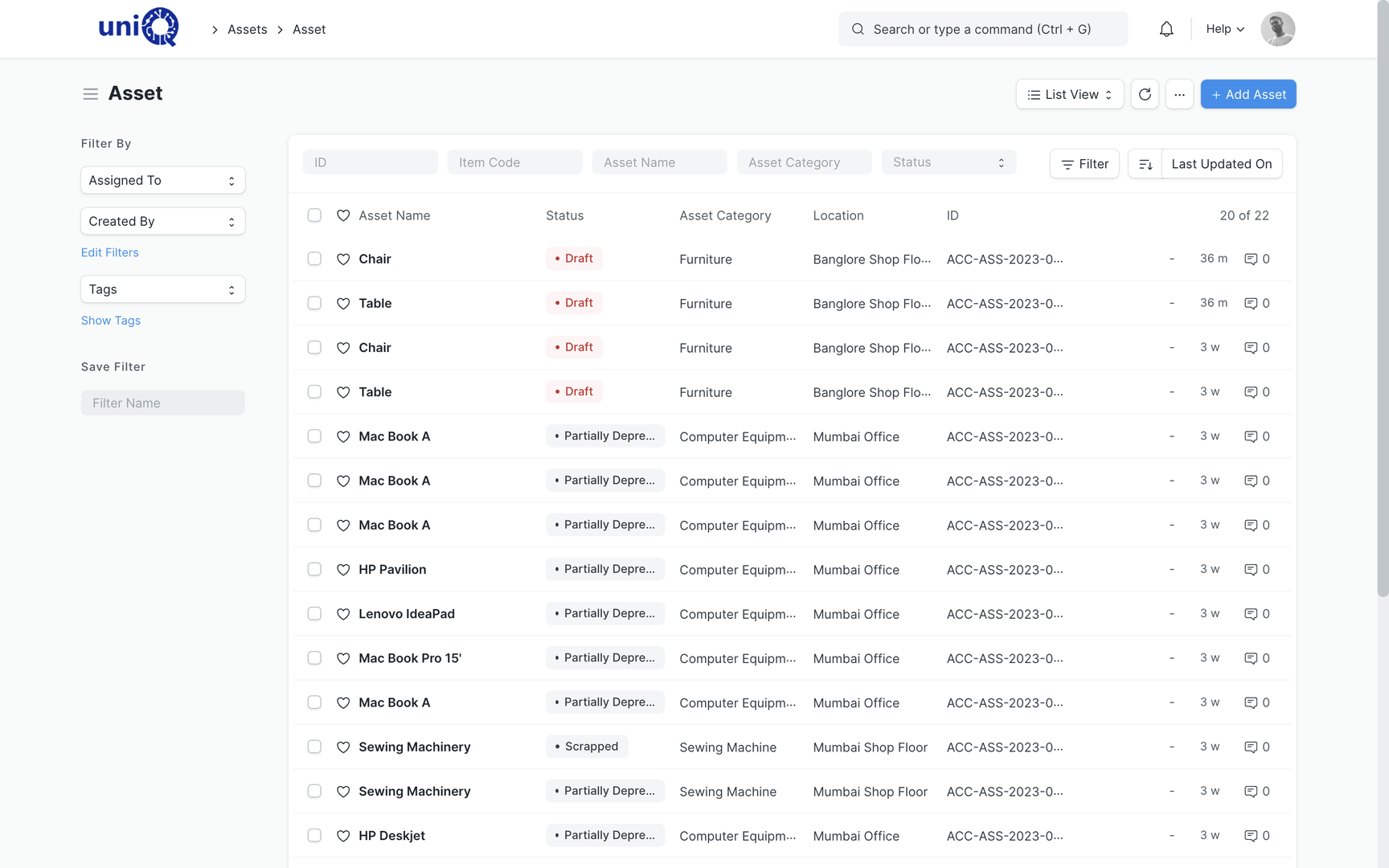
A signage business runs on CNC routers, laser cutters, flatbed and roll printers, welding and bending equipment, vehicles and hand tools. It also installs digital screens, LED displays and structures that customers expect it to maintain. The asset module keeps both in one register with purchase, location, custodian, warranty, maintenance, depreciation, transfer and disposal on record.
Every machine, vehicle and installed display with its purchase, custodian, warranty, service history and book value on one record.
The problem
The asset register is a purchase file and a guess
The list of machines exists in the accountant’s depreciation schedule and nowhere else.
- 02Nobody knows which hand tools and ladders went with which installation team, or which came back.
- 03Machine breakdowns are fixed and forgotten; the same printer head fails again with no history.
- 04Preventive maintenance for the CNC and laser is done when someone remembers, so breakdowns land mid-job.
- 05Warranty on a printer or a compressor expires unused because the date is in a file.
- 06Screens and LED displays installed at customer sites are not listed anywhere, so AMC and warranty calls start from zero.
- 07Sale or scrap of an old machine is not posted correctly, and the books carry assets that left years ago.
What it does
One register for internal equipment and customer-installed assets
Fixed assets are created from the purchase receipt, given a category, location and custodian, and depreciated per the finance book. Maintenance schedules, repairs, movements, value adjustments and disposal are all recorded against the asset. Customer-side equipment such as installed screens is tracked as serialised items linked to the customer, site and AMC.
- Asset register with category, item, location, custodian, purchase date, cost and status
- Asset created from purchase receipt or purchase invoice, with GST input on capital goods handled in accounts
- Asset categories for CNC and laser machines, printers, fabrication equipment, vehicles, tools and IT
- Location and custodian per asset: factory, godown, vehicle or a named employee
- Asset movement: transfer between locations or custodians with date and reason
- Tool kits issued to installation teams and returned, tracked as asset movementsConfigured
- Warranty and AMC dates on the asset with reminders before expiry
- Asset maintenance schedules: periodic tasks per machine with assignee and due dates
- Asset repair log: breakdown, repair cost, downtime and vendor per incident
- Depreciation per finance book with straight line or written down value and automatic journal entries
- Asset value adjustment for revaluation or impairment
- Disposal by sale or scrap with the gain or loss posted to accounts
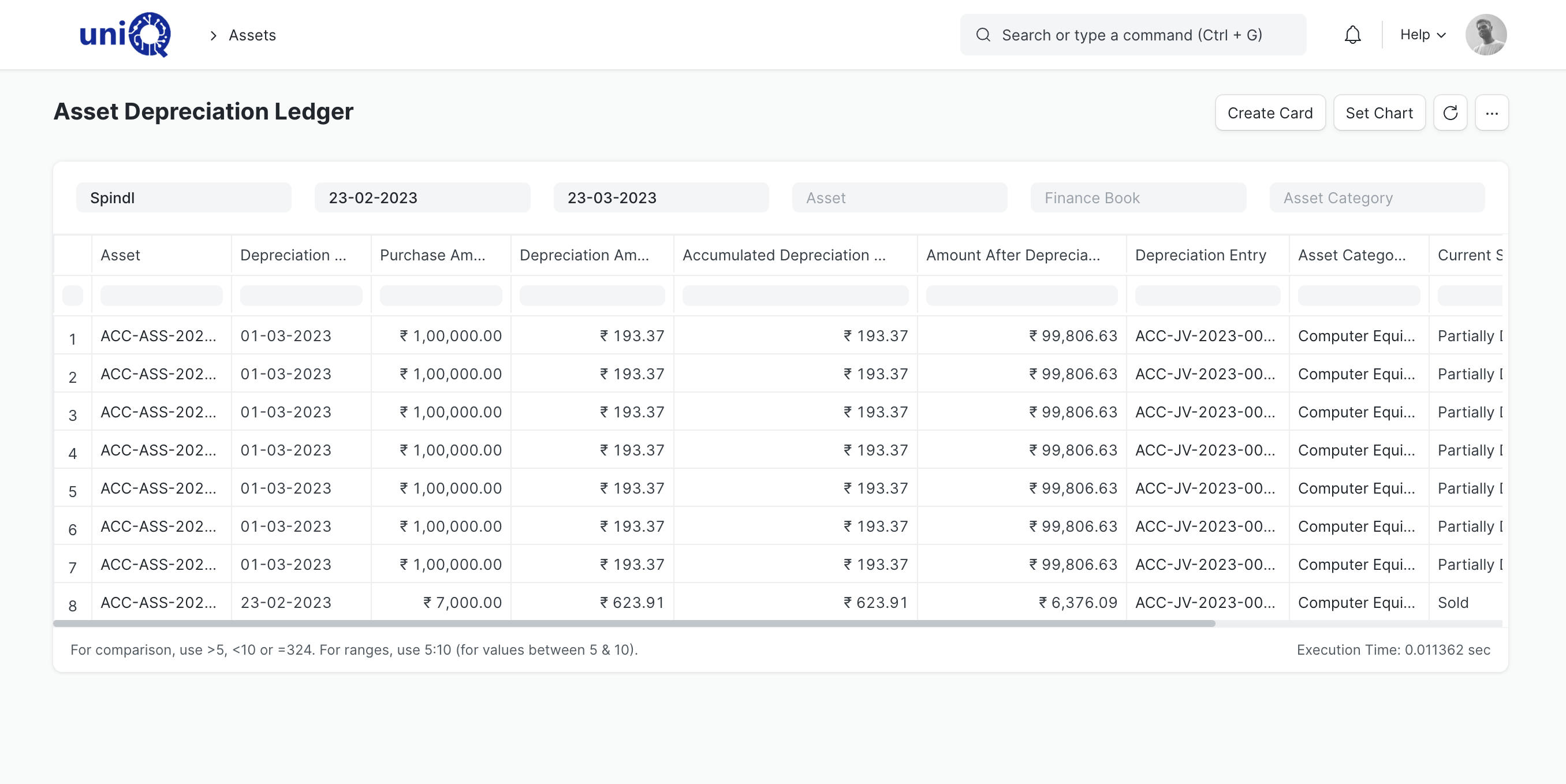
- Asset depreciation ledger and register reports for audit and income tax
- Customer-installed assets: screens, LED displays and structures tracked as serialised items linked to customer, site and projectConfigured
- Equipment under AMC linked to the maintenance schedule and service ticketsConfigured
- Workstations in manufacturing mapped to machines in the registerConfigured
- Insurance details and documents attached to the asset
In a signage business
Assets a signage and fabrication business needs to track
- 01
CNC router and laser cutter
Purchase, installation date, warranty, preventive maintenance every quarter, repair history and depreciation on one record. Downtime per incident is known.
- 02
Flatbed and roll printers
Print heads, ink systems and service contracts tracked as maintenance tasks and repairs. Warranty on the head is on the asset, not in a file.
- 03
Vehicles
Installation vans and pickups with insurance, fitness and permit dates, fuel and repair expenses, and the driver as custodian.
- 04
Installation tool kits
Drills, ladders, scaffolding and testing equipment issued to teams and returned, so missing tools are traced to a team and a site.
- 05
Customer-installed digital screens
Each screen and media player tracked by serial number against the customer site, with warranty start and the AMC that covers it.
- 06
Fabrication shop equipment
Welding sets, bending machines, compressors and paint booths with maintenance schedules and custodians on the shop floor.
Key workflows
From purchase to disposal
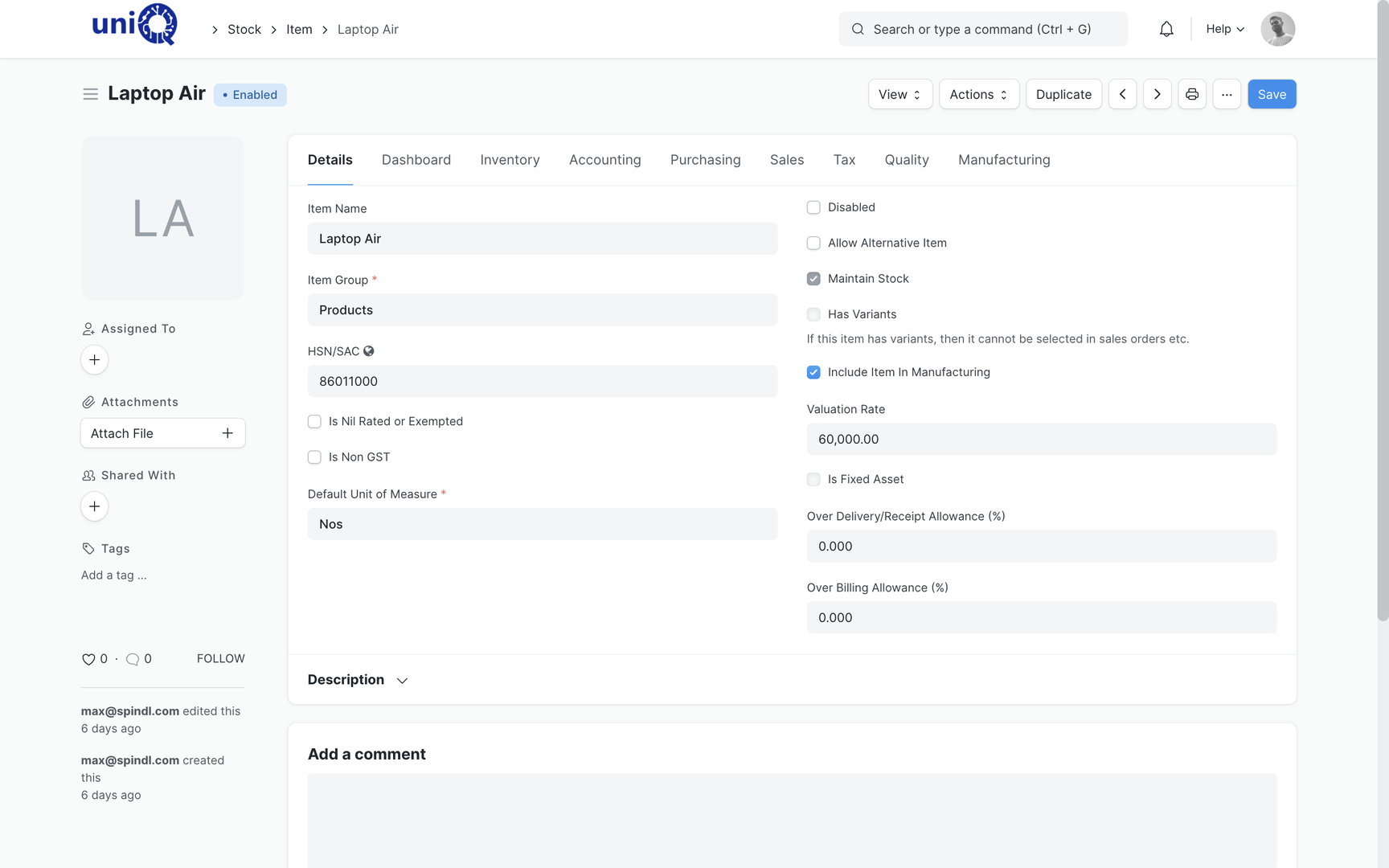
Set up the asset item
The item master marks the item as a fixed asset and assigns the asset category, which decides the accounts and default depreciation method.
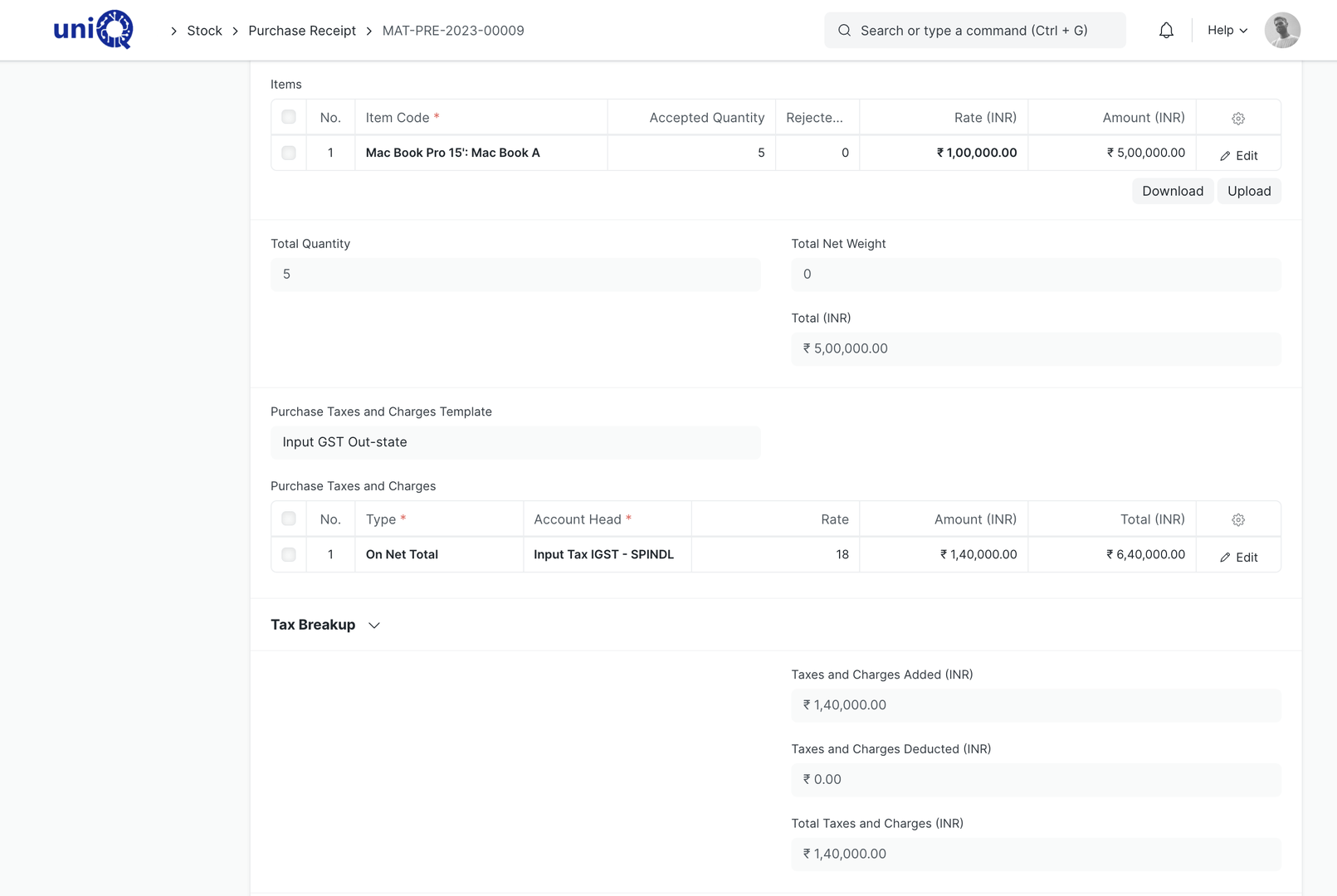
Purchase and capitalise
The purchase receipt or invoice for the machine creates the asset with cost, GST and supplier. Location, custodian and warranty dates are set at this point.
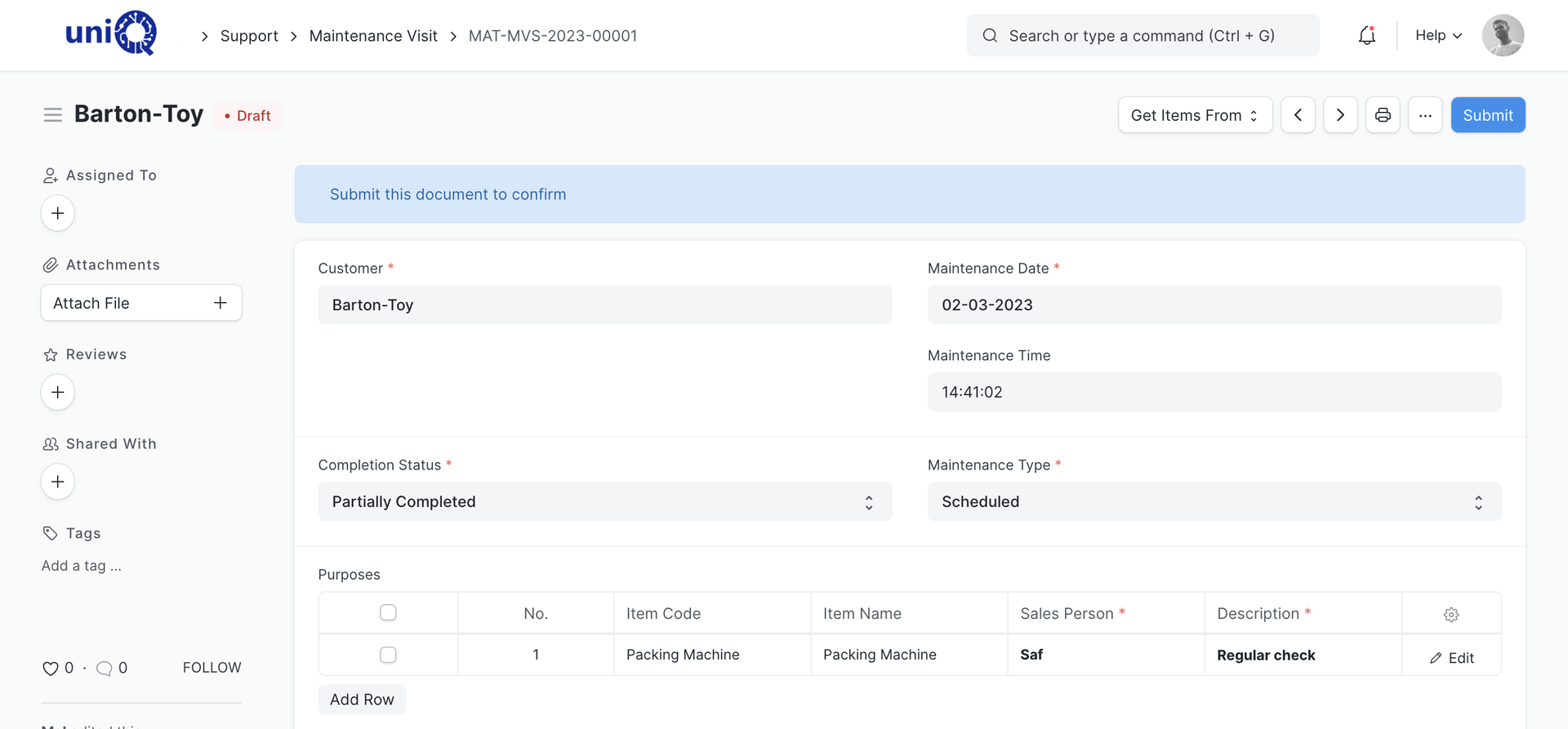
Maintain and repair
Preventive maintenance tasks are scheduled per machine and assigned to a person. Breakdowns are logged as repairs with cost and downtime, building the service history.
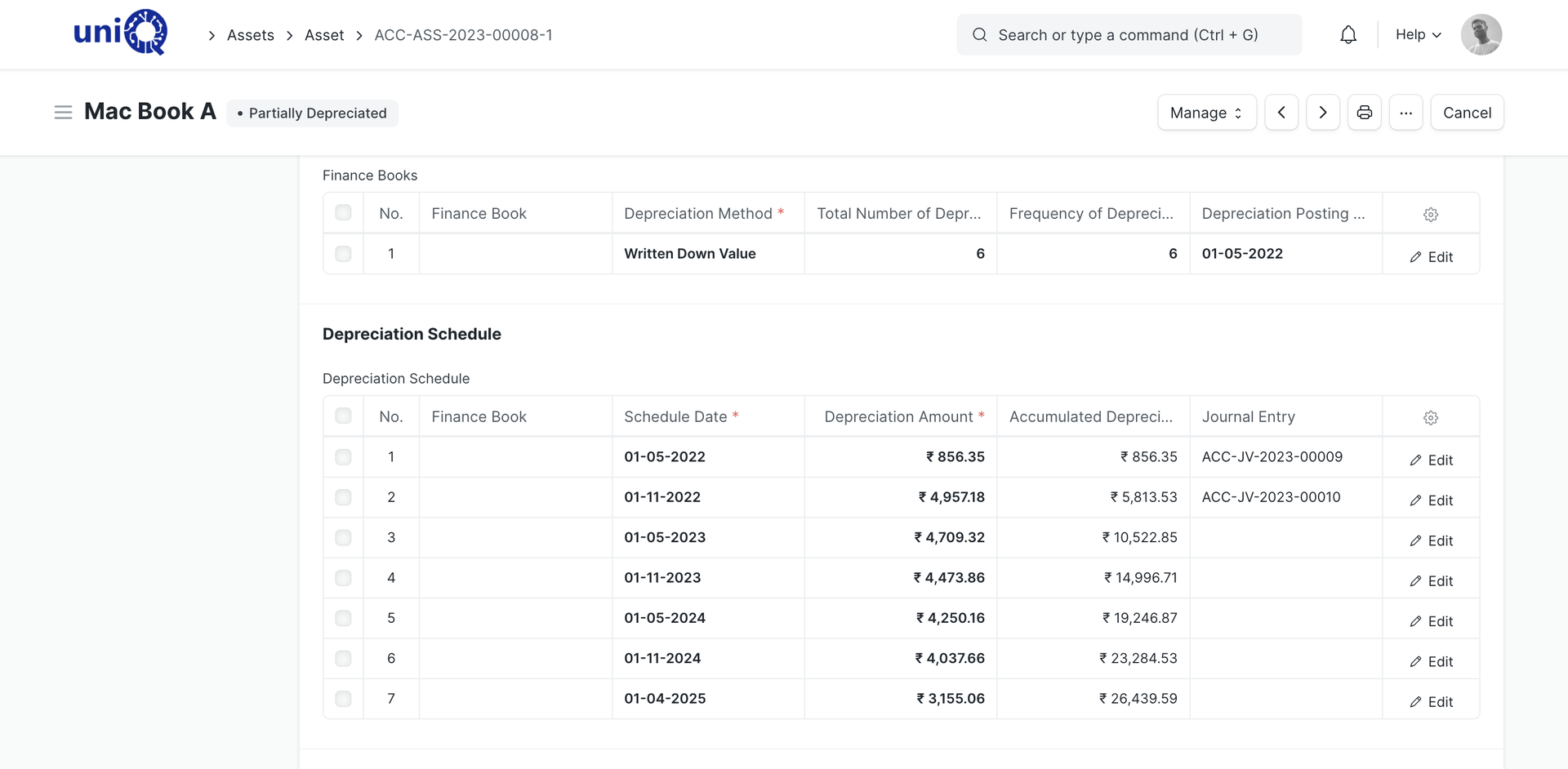
Depreciate
Depreciation runs per finance book and posts journal entries on schedule. The asset shows its book value at any date.
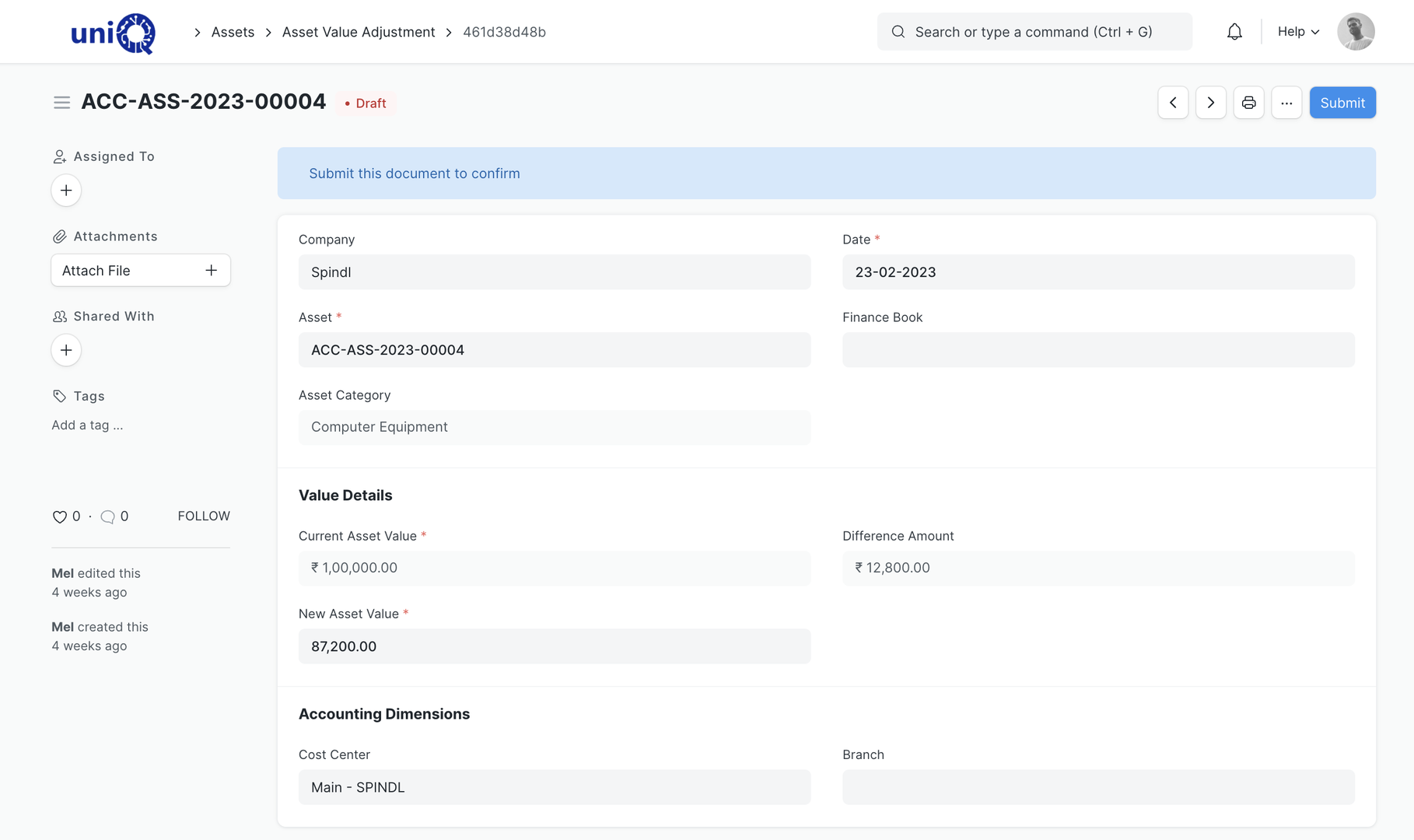
Move, adjust or revalue
Transfers between the factory, a site and a custodian are recorded as movements. Value adjustments handle impairment or revaluation.
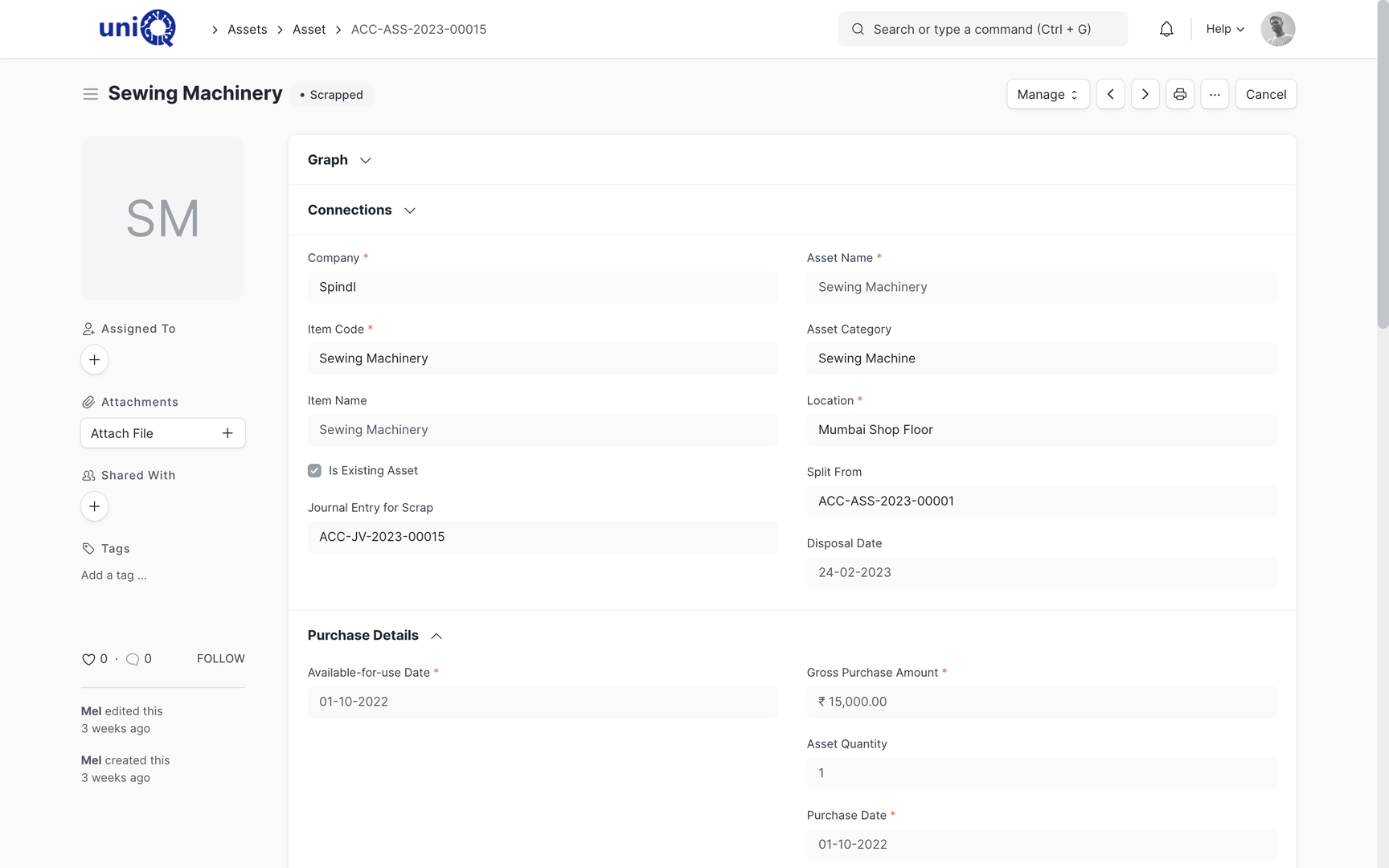
Sell or scrap
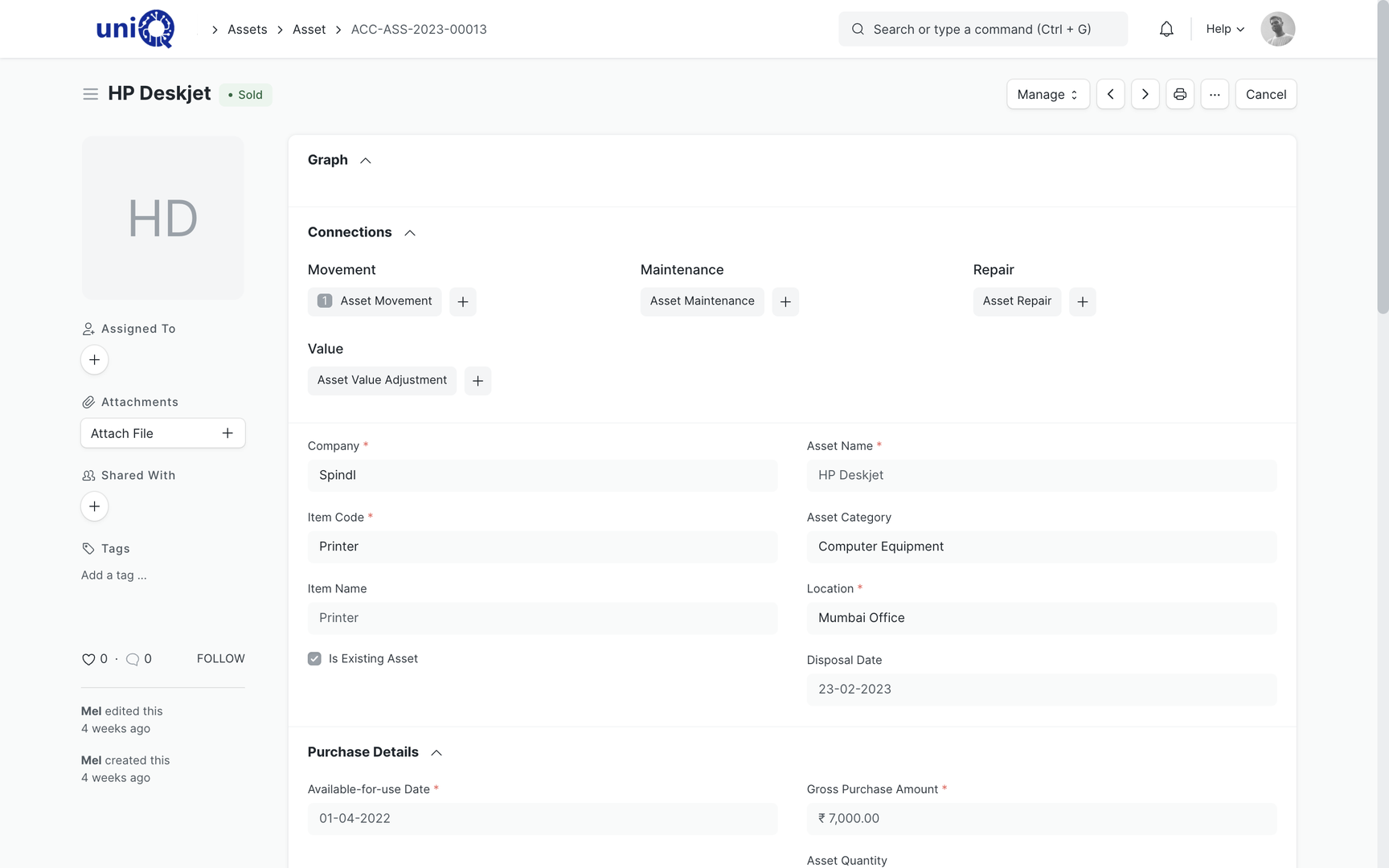
An old machine is sold through a sales invoice or scrapped with a journal entry. The gain or loss posts to accounts and the asset status changes.
Screens
What your team works in
Layouts, naming and print formats are configured to your business during implementation.
Business outcomes
What changes for the owner and the factory head
- Every machine, vehicle and tool has a location, a custodian and a status.
- Preventive maintenance is scheduled and assigned, so breakdowns during a job are fewer surprises.
- Repair history per machine shows what keeps failing and what it costs.
- Warranty and AMC dates are on the asset with reminders before expiry.
- Tools issued to installation teams are traced when they do not come back.
- Depreciation and book value are ready for audit and income tax without a separate spreadsheet.
- Sale and scrap post correctly, so the books match what is on the floor.
- Screens and displays installed at customer sites are on record for warranty and AMC service.
Connected
Assets connect to purchase, production, service and accounts
Assets are created from purchases, mapped to workstations in manufacturing, maintained through the service module and depreciated in accounts. Customer-side installed assets link the project that installed them to the tickets that service them.
External integrations, scoped separately
- Barcode or QR labels on assets for scanning during audits and tool issue
- Vehicle GPS or telematics feed
Who uses it
Who works in the asset module
- ODOwner / Director
- FHFactory Head
- MIMaintenance In-charge
- SIStores In-charge
- IHInstallation Head
- AMAccounts Manager
- SHService Head
FAQ
Asset Management: common questions
How are customer-side assets like installed screens tracked?
They are not your fixed assets, so they are tracked as serialised items linked to the customer, site, project and AMC. Warranty, tickets and visits attach to that serial number. This structure is configured during implementation.
Can depreciation follow both Companies Act and income tax rates?
Yes. Multiple finance books allow different methods and rates for the same asset, with separate schedules and entries.
Can we track tools issued to installation teams?
Yes. Tool kits are set up as assets and issued and returned using asset movements against the custodian. Low-value consumables are better handled as stock items.
What happens when we sell or scrap a machine?
A sale goes through a sales invoice; a scrap goes through a scrap entry. Accumulated depreciation and gain or loss are posted automatically and the asset status changes.
See ClassicNext running your business
A 30-minute fitment call: we understand your current process, show the modules that matter to you, and give indicative pricing. No generic tour.
Prefer to start smaller? Get a process audit or request pricing.