Manufacturing module
Production control for signage, fabrication and custom-built work
Know exactly what material, labour and outside processes each job needs before production starts, and what it actually cost when it ends. BOMs, work orders, job cards, material issue, WIP, scrap, rework, quality checks, subcontracting and costing on one record per job.
Every sign, letter, pylon and light box built against a work order that is linked to its project.
The problem
Production runs on memory, not on a plan
The supervisor knows what is on the floor; nobody else does until they walk over and ask.
- 02Material is drawn from stores against a job name written on a slip, so consumption per project is never known.
- 03Acrylic, ACP and LED modules are bought again for a job that already has them lying in another rack.
- 04Rework and scrap happen daily but are recorded nowhere, so the quoted margin and the real margin drift apart.
- 05Powder coating, printing or CNC cutting sent outside is tracked on WhatsApp and lost when the message scrolls away.
- 06Dispatch dates are promised from the sales desk without seeing the factory load.
- 07The owner learns a job lost money only after the invoice, if at all.
What it does
One production record per job, from BOM to finished goods
The manufacturing module turns each approved job into a bill of materials, a work order and the job cards your floor works from. Material is issued and consumed against the work order, outside processes are tracked as subcontracting, and the actual cost of every job is visible next to what was quoted.
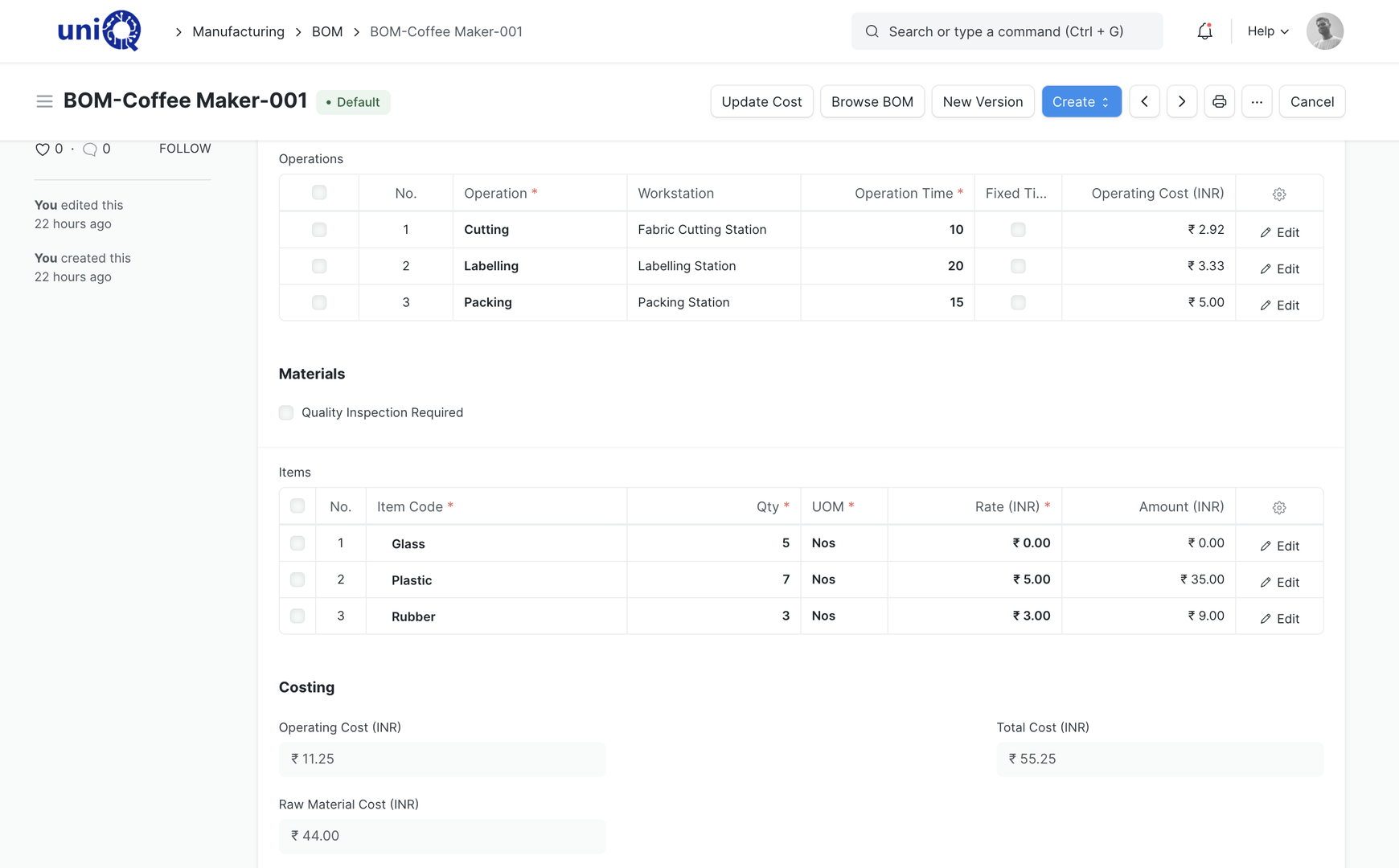
- Bill of materials with materials, operations, workstations and cost
- Multi-level BOMs for assemblies such as a pylon with letter, cabinet and lighting sub-assemblies
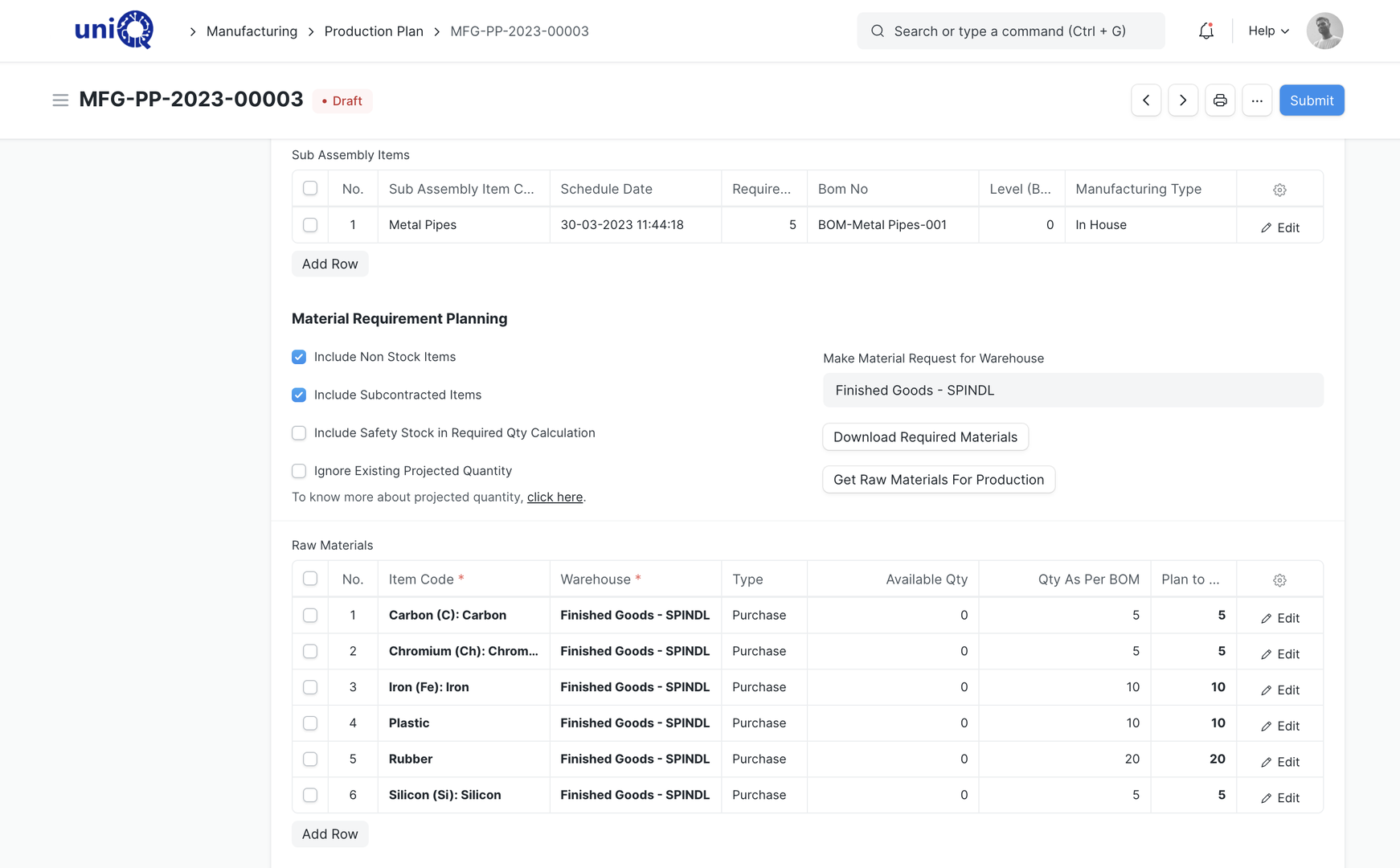
- Material planning: required vs available vs to-purchase for a set of work orders
- Production planning from sales orders or project material requirements
- Work orders with planned vs actual quantities, dates and cost
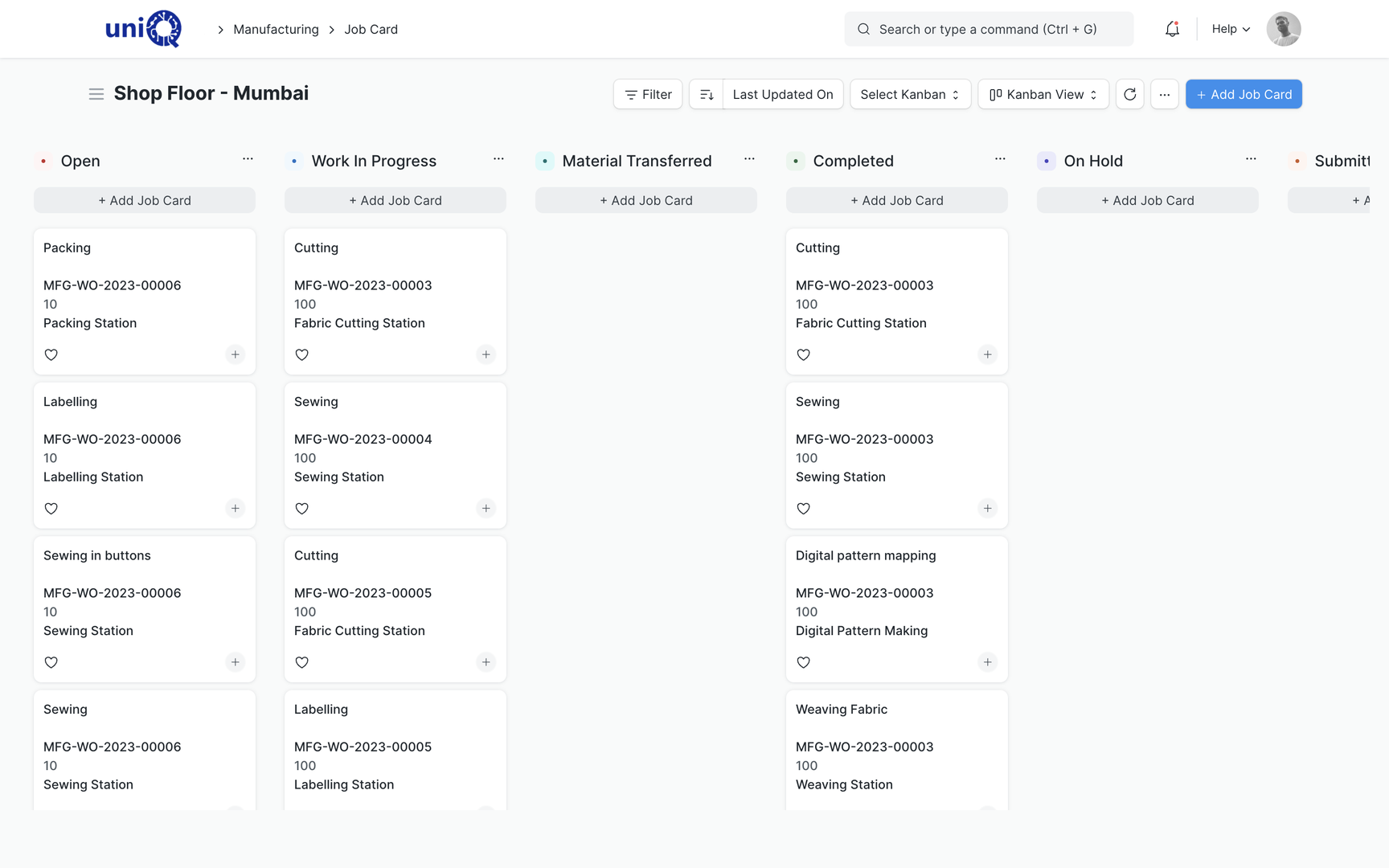
- Job cards per operation, with start, pause, complete and operator
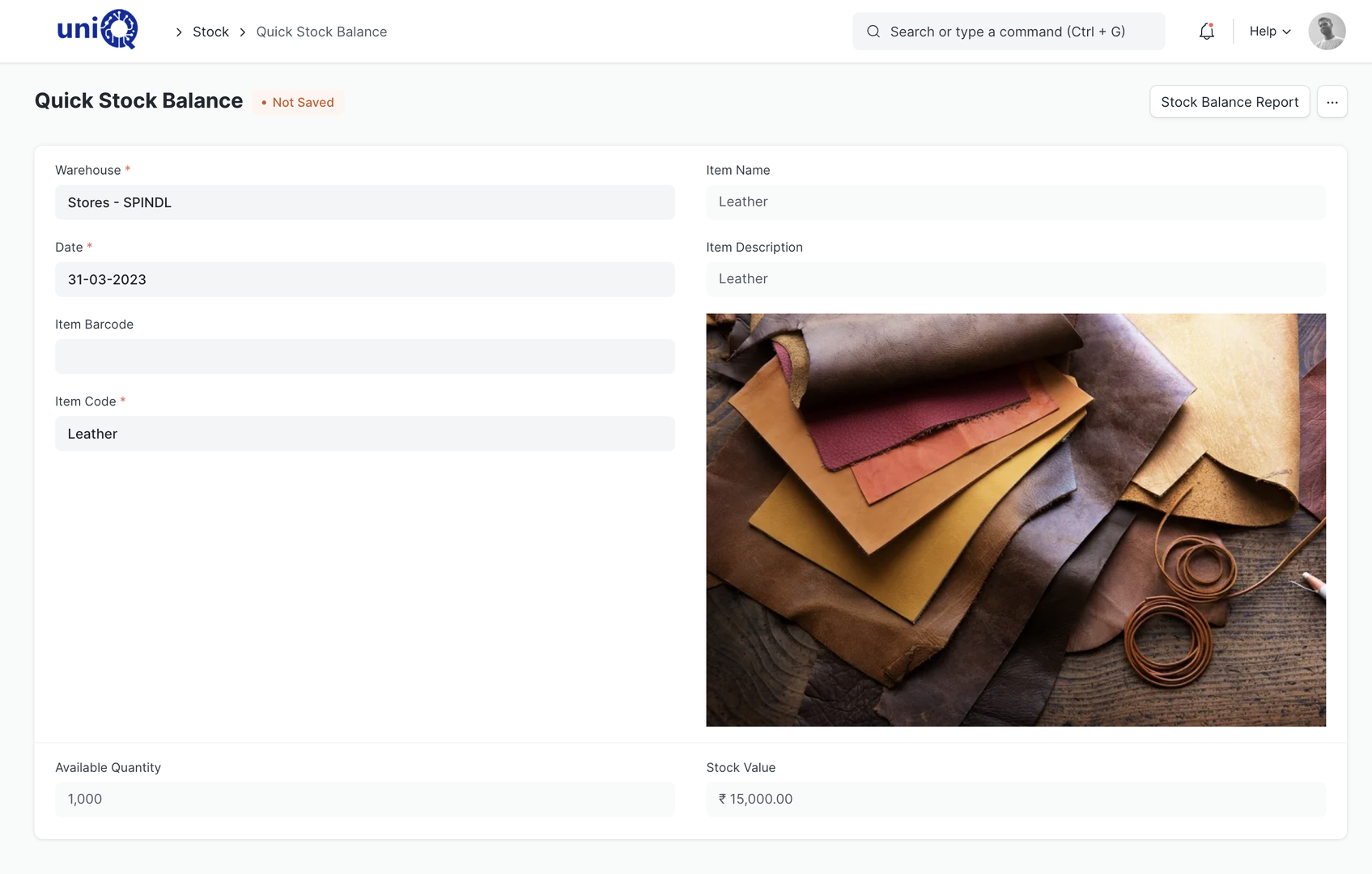
- Material issue and transfer to the work-in-progress warehouse
- Work-in-progress and finished-goods stock by warehouse and project
- Scrap items defined on the BOM and recorded on completion
- Rework recorded as a follow-on work order or stock entry against the same jobConfigured
- Quality inspection templates at incoming, in-process and final stages
- Production costing: material, operation and overhead cost per work order
- Subcontracting: send material out, receive finished parts, track supplier liability
- Capacity planning across workstations and shifts
- Item variants for size, colour, thickness and finish
- Serial and batch tracking where a component needs traceability
- Job-level drawing, approval and artwork attachments on the work orderConfigured
In a signage business
Product types a signage or fabrication business builds every week
ACP signage and cladding
Sheet, structure, vinyl and fixing hardware on one BOM; cutting and bending as operations; per-site quantities from the project.
Acrylic and stainless steel letters
Letter sets as variants by height, thickness and finish, with laser or CNC cutting time and polishing as job-card operations.
LED signs and light boxes
Modules, power supplies, diffusers and cabinets as components; electrical testing recorded as a quality check before dispatch.
Pylons and fabricated structures
Multi-level BOMs: structure, cladding, lighting and branding elements as sub-assemblies, each with its own work order.
Digital displays and integrations
Bought-out screens, players and mounts tracked by serial number, assembled and tested against the project's site list.
Custom branding components
One-off items configured from a template BOM so estimation, purchase and production start from the same material list.
Key workflows
From approved quotation to finished goods
Build the BOM from the estimate
The BOQ that won the job becomes the bill of materials. Materials, quantities, operations and expected cost are on one document, so procurement and production start from the same list.
Plan material and capacity
A production plan pulls work orders together and shows what is in stock, what must be purchased and which workstations are loaded. Purchase requests are raised from here, linked to the project.
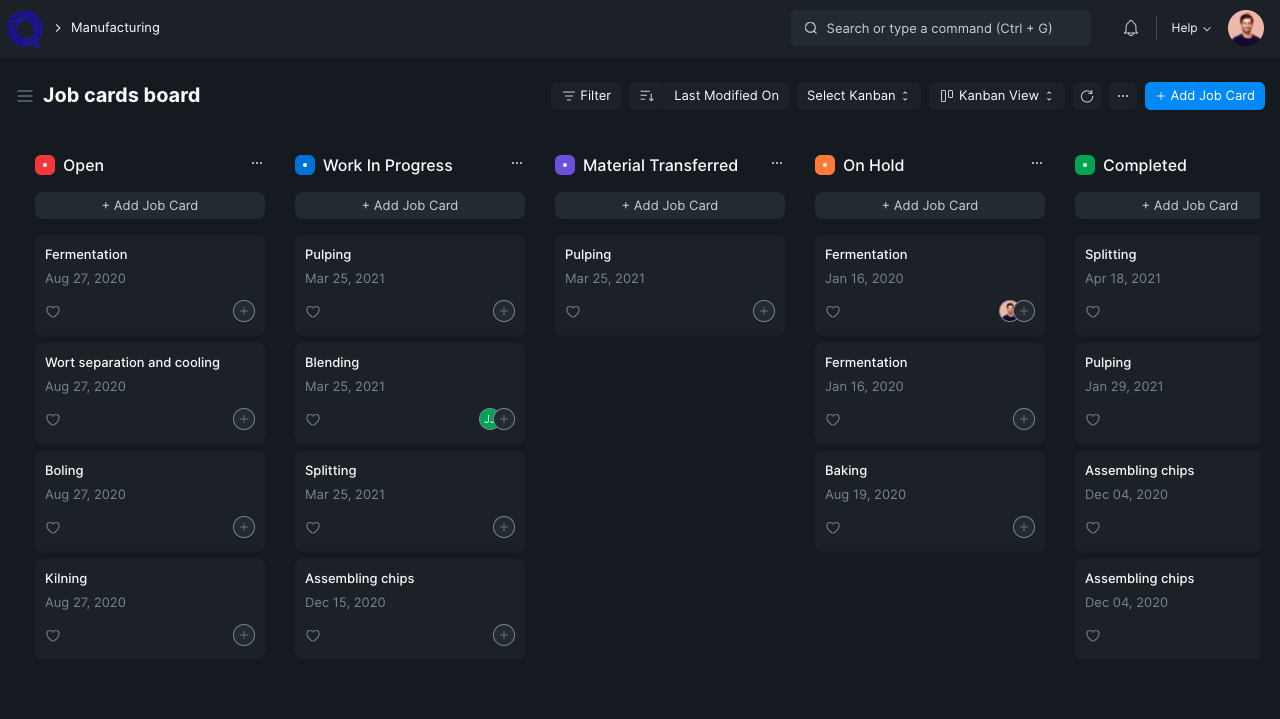
Release work orders and job cards
Each job gets a work order; each operation gets a job card the floor can start, pause and complete. Status moves from Not Started to In Process to Completed without anyone asking.
Issue material and track WIP
Stores issue material against the work order, not against a name on a slip. Consumption per job is known; what is lying in WIP is known; leftover is returned to stock.
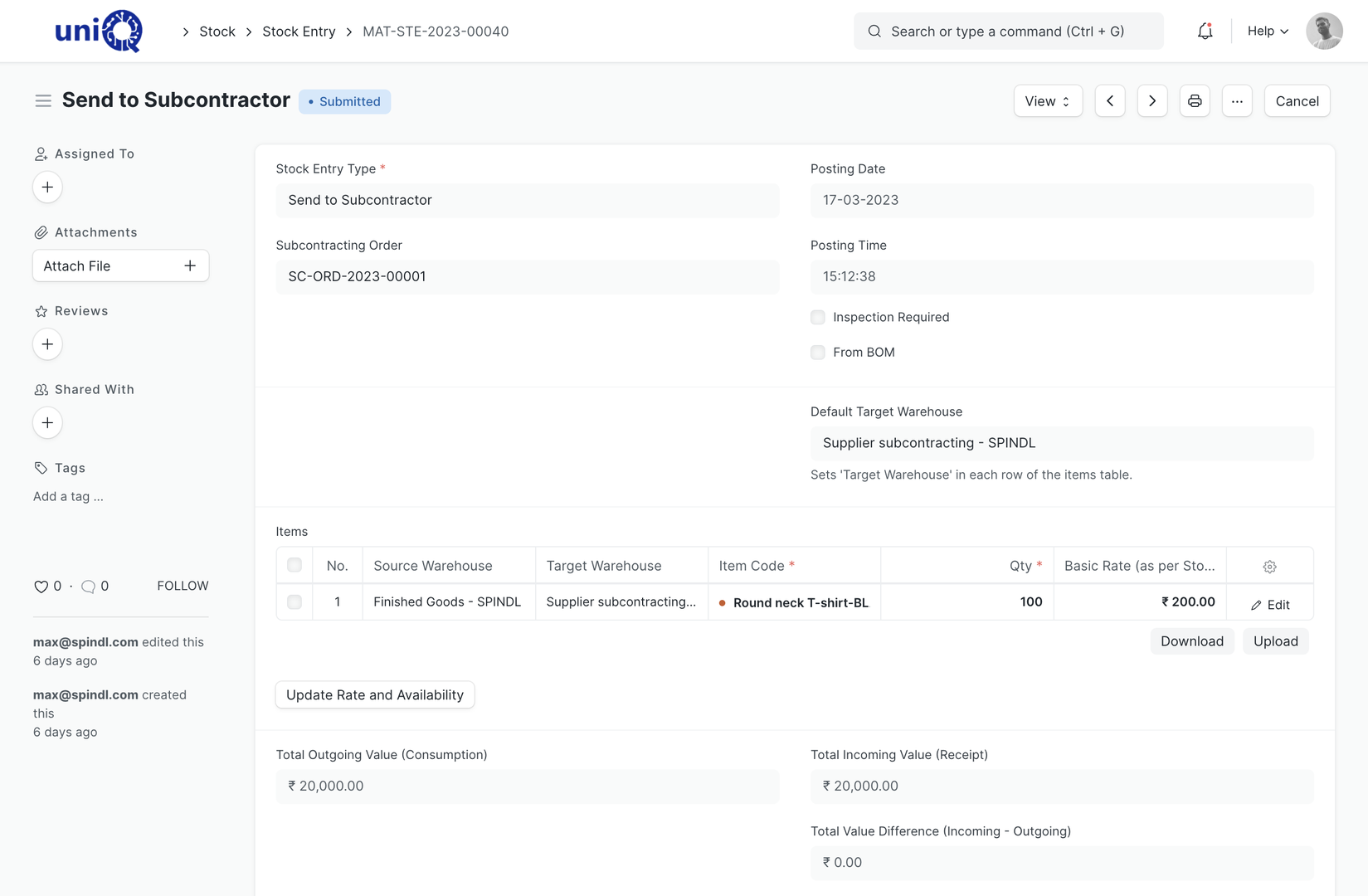
Send outside processes as subcontracting
Powder coating, printing or CNC work sent to a vendor is a subcontracting order: material out, finished parts in, vendor bill matched to what came back.
Inspect, record scrap and rework
Final inspection before dispatch, with scrap quantities and rework captured against the same work order, so the true cost lands on the job that caused it.
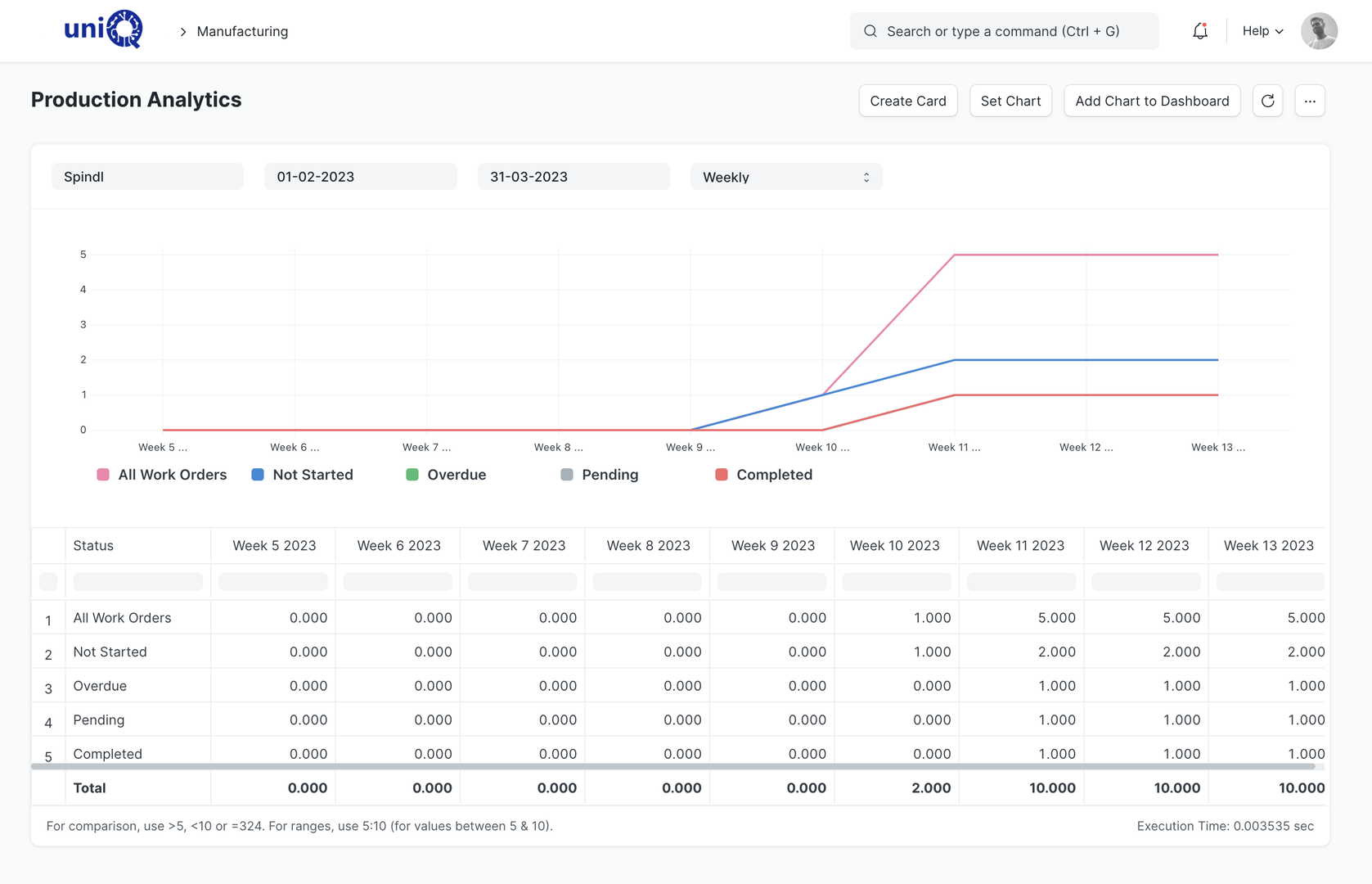
Compare planned and actual cost
Material, operation and overhead cost per work order sits next to the BOM cost and the quoted value. Production costing feeds project profitability in Finance.
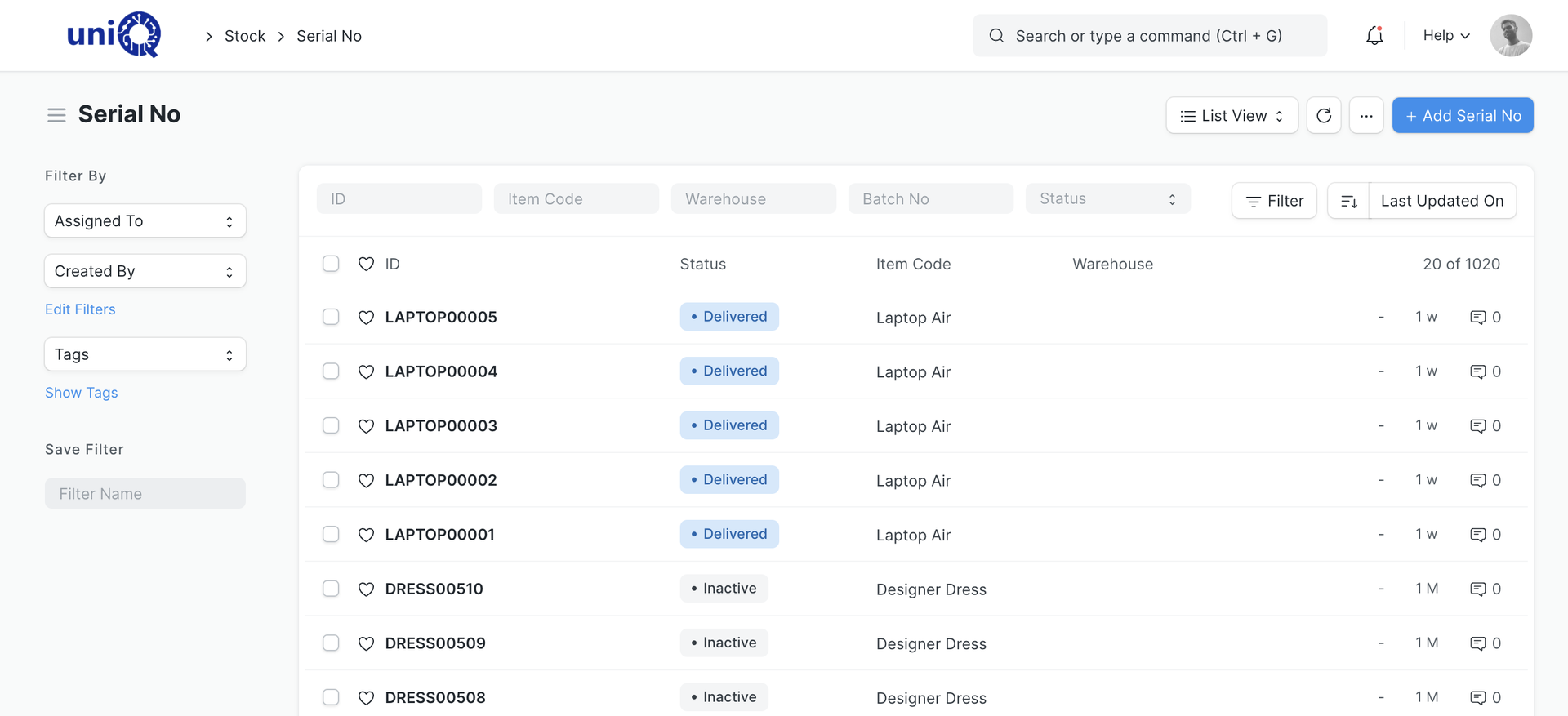
Screens
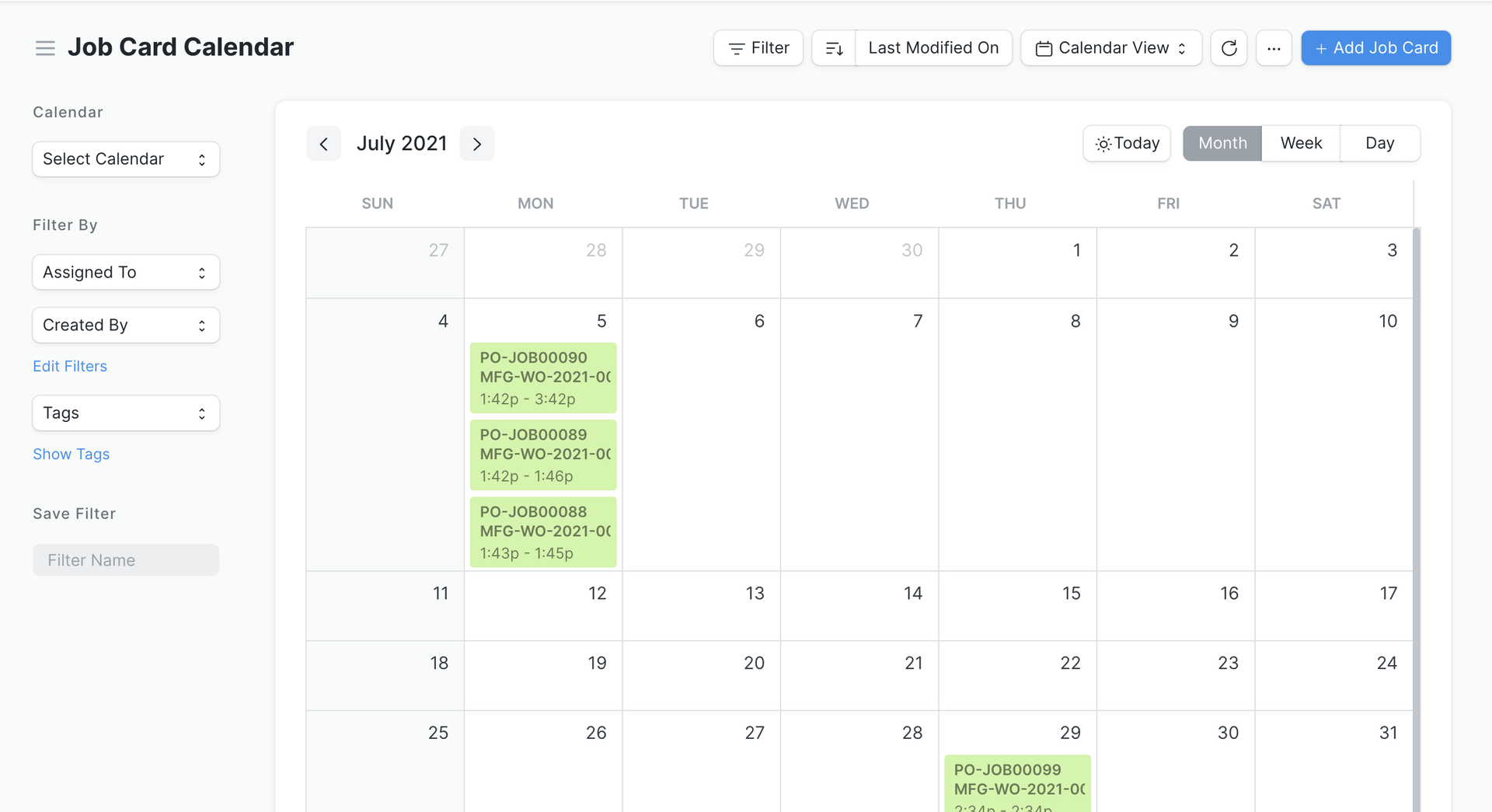
What your team works in
Layouts, naming and print formats are configured to your business during implementation.
Business outcomes
What changes for the owner and the factory head
- Material, labour and outside-process requirements are known before production starts.
- Consumption per job replaces consumption per month, so material leakage becomes visible.
- Quoted margin and actual margin can be compared on every work order.
- Dispatch commitments are made against real factory load, not guesswork.
- Rework and scrap are recorded where they happen and land on the job that caused them.
- Subcontracted work is tracked from material out to parts in, with vendor bills matched.
- Production status is visible from the office and the site without a phone call.
- Finished goods per project and per site are ready for dispatch planning.
Connected
Production is one step in the project, not a separate island
Work orders are created from sales orders and project material requirements, draw stock that procurement bought, and hand finished goods to dispatch and installation. Costs flow into project profitability.
External integrations, scoped separately
- Barcode and label printers
- Shop-floor tablets for job cards
- CNC / cutting machine data capture
Who uses it
Who works in the manufacturing module
- ODOwner / Director
- FHFactory Head
- PSProduction Supervisor
- SIStores In-charge
- PEPlanning Engineer
- QIQuality In-charge
- PMPurchase Manager
- PMProject Manager
FAQ
Manufacturing: common questions
Do we need a BOM for one-off custom jobs?
Yes, but it is quick: a template BOM for each product family (acrylic letters, ACP board, light box) is copied and adjusted per job. The estimate you already prepared is most of the BOM.
Can we track jobs without job cards on the floor?
Work orders can be updated by a supervisor from the office if the floor is not ready for tablets. Job cards add operation-level timing when you want it.
How is rework handled?
Rework is configured as a follow-on work order or a stock entry against the original job, so the extra material and time are costed to the job that needed it. This is set up during process mapping.
Can outside processes like powder coating be tracked?
Yes. Subcontracting orders track material sent out, finished parts received and the vendor's bill, per job.
See ClassicNext running your business
A 30-minute fitment call: we understand your current process, show the modules that matter to you, and give indicative pricing. No generic tour.
Prefer to start smaller? Get a process audit or request pricing.