Sales & Procurement module
Sales and procurement for project-based businesses
From the customer's purchase order to the last delivery note, with every material request, RFQ, supplier quotation, purchase order and goods receipt linked to the project it serves. Buy what the job needs, when it needs it, and know what has been dispatched and what is still pending.
Every purchase order traceable to the project and the customer PO that justified it.
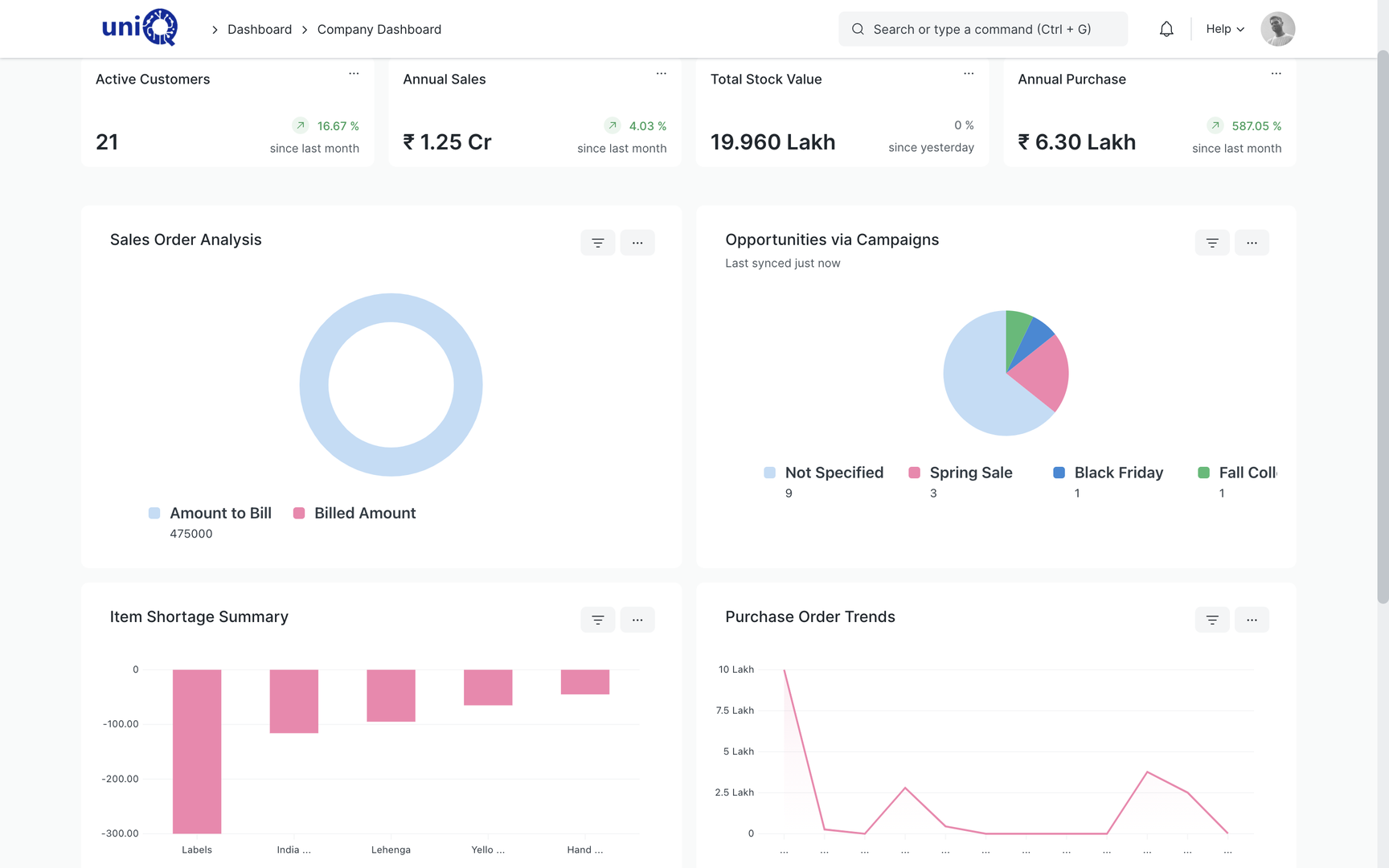
The problem
Orders are won on paper and lost in execution
The customer's PO arrives by email and sits in an inbox; the factory starts on a phone call.
- 02Quotation revision three is in one person's laptop and revision four was sent from a phone.
- 03Material for a forty-store rollout is bought in pieces, from whoever picks up the phone, at whatever rate was quoted last time.
- 04The purchase manager cannot tell which of the open POs belong to which project.
- 05Goods arrive at the factory and nobody checks them against the order until the vendor's bill comes.
- 06Dispatch is planned from memory, so a site receives the cabinet but not the letters.
- 07The customer calls to ask what has been delivered and three people give three answers.
What it does
One chain from enquiry to delivery, with procurement inside it
The sales and procurement module links the customer side and the supplier side of every project. A confirmed sales order drives material requirements; material requests become RFQs, supplier quotations and purchase orders; goods receipts and supplier bills close the loop. On the customer side, delivery notes and invoices show what has gone out and what remains.
- Enquiries and quotations with itemised BOQ lines, terms and validity
- Quotation revisions kept as versions, so the accepted one is clear
- Customer purchase order recorded and attached against the sales order
- Sales orders linked to a project, with per-site delivery scheduleConfigured
- Material requirements derived from sales orders, BOMs and project material lists
- Purchase requisitions (material requests) with requester, project and required-by date
- Requests for quotation sent to several suppliers from one screen
- Supplier quotations compared side by side before the purchase order is placed
- Purchase orders with rate, delivery date, terms and project reference
- Goods receipt (purchase receipt) with quantity checks and quality inspection
- Supplier bills matched to purchase orders and receipts; supplier payments and outstanding
- Dispatch through delivery notes, partial deliveries and per-site packingConfigured
- Delivery tracking: what has shipped, what is pending per order and per site
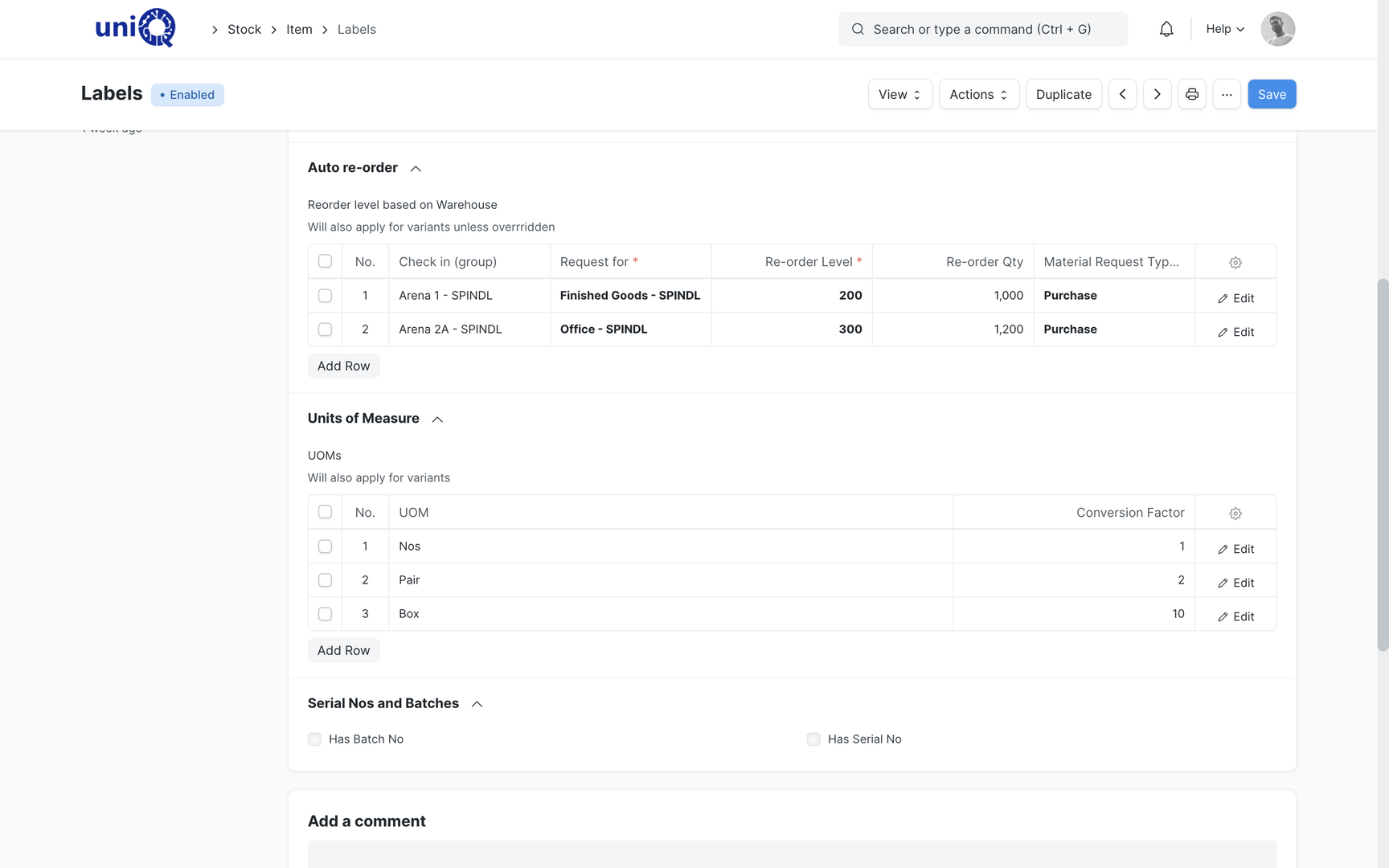
- Item master with variants, multiple units of measure, batches and serial numbers
- Automatic reorder levels for consumables such as vinyl, adhesives and fasteners
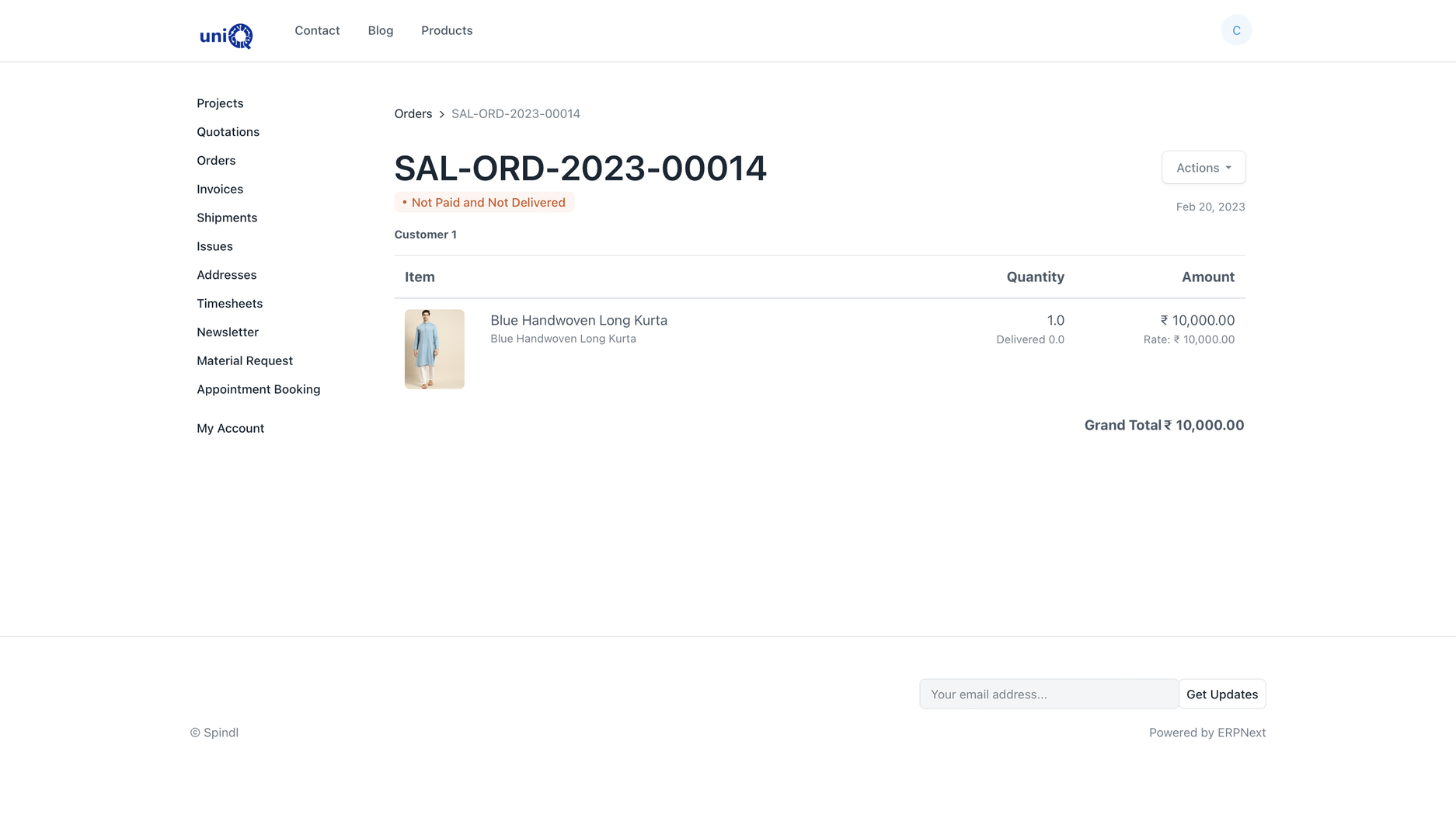
- Customer portal for orders, invoices and shipments; project-specific viewsConfigured
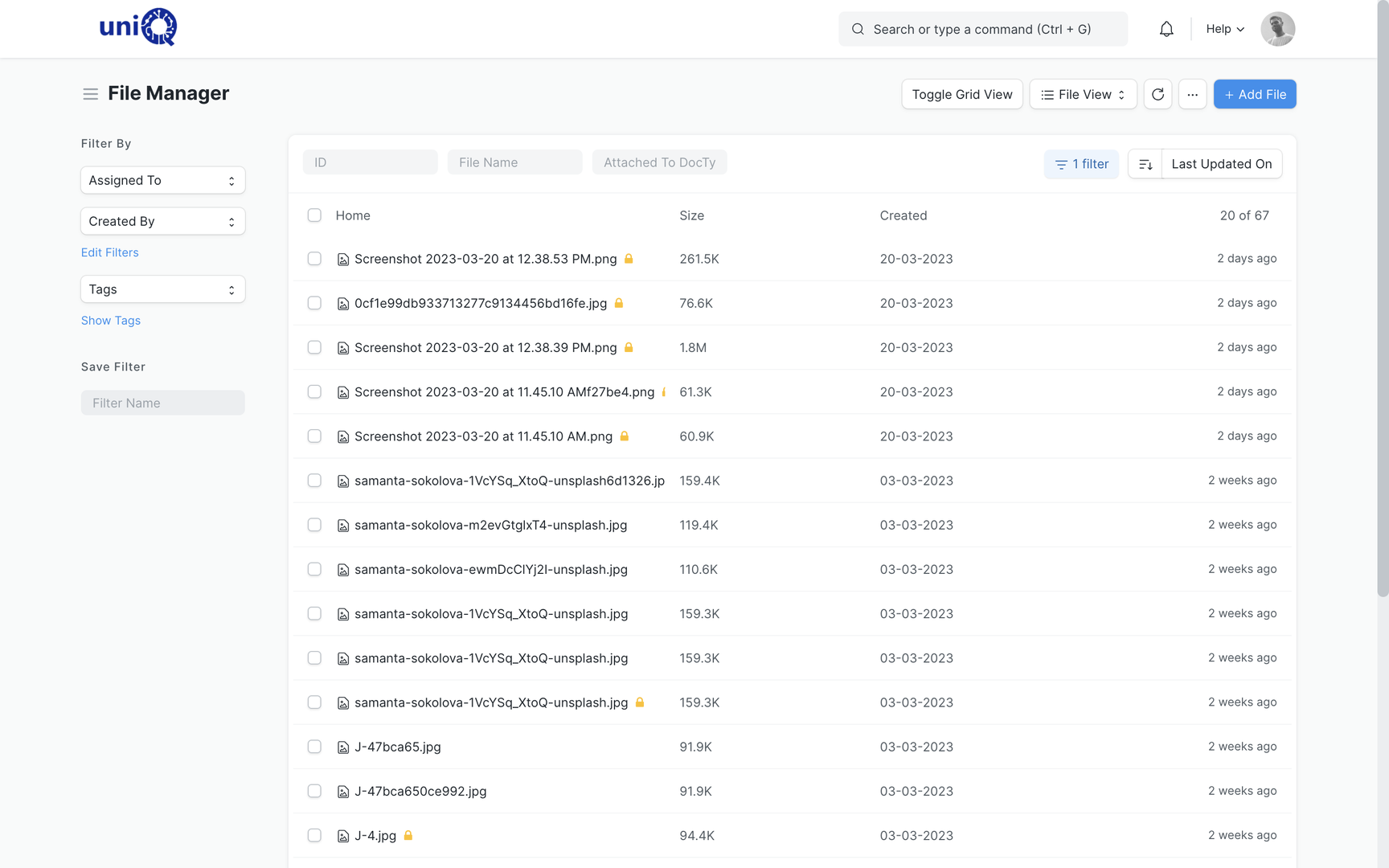
- Documents such as customer PO, drawings, test certificates and delivery challans attached to the order
In a signage business
Order and purchase situations a signage or branding business handles every week
- 01
Multi-site retail rollout
One customer PO, one sales order, forty sites. Material requirements are consolidated for purchase and split back into per-site dispatches.
- 02
Tender or framework order
Rates fixed at the tender stage and call-off orders raised against them, with delivery and billing tracked per call-off.
- 03
Subcontracted printing and powder coating
Material sent to the vendor and finished parts received back through subcontracting purchase orders, with the vendor's bill matched to what returned.
- 04
Bought-out items with serial numbers
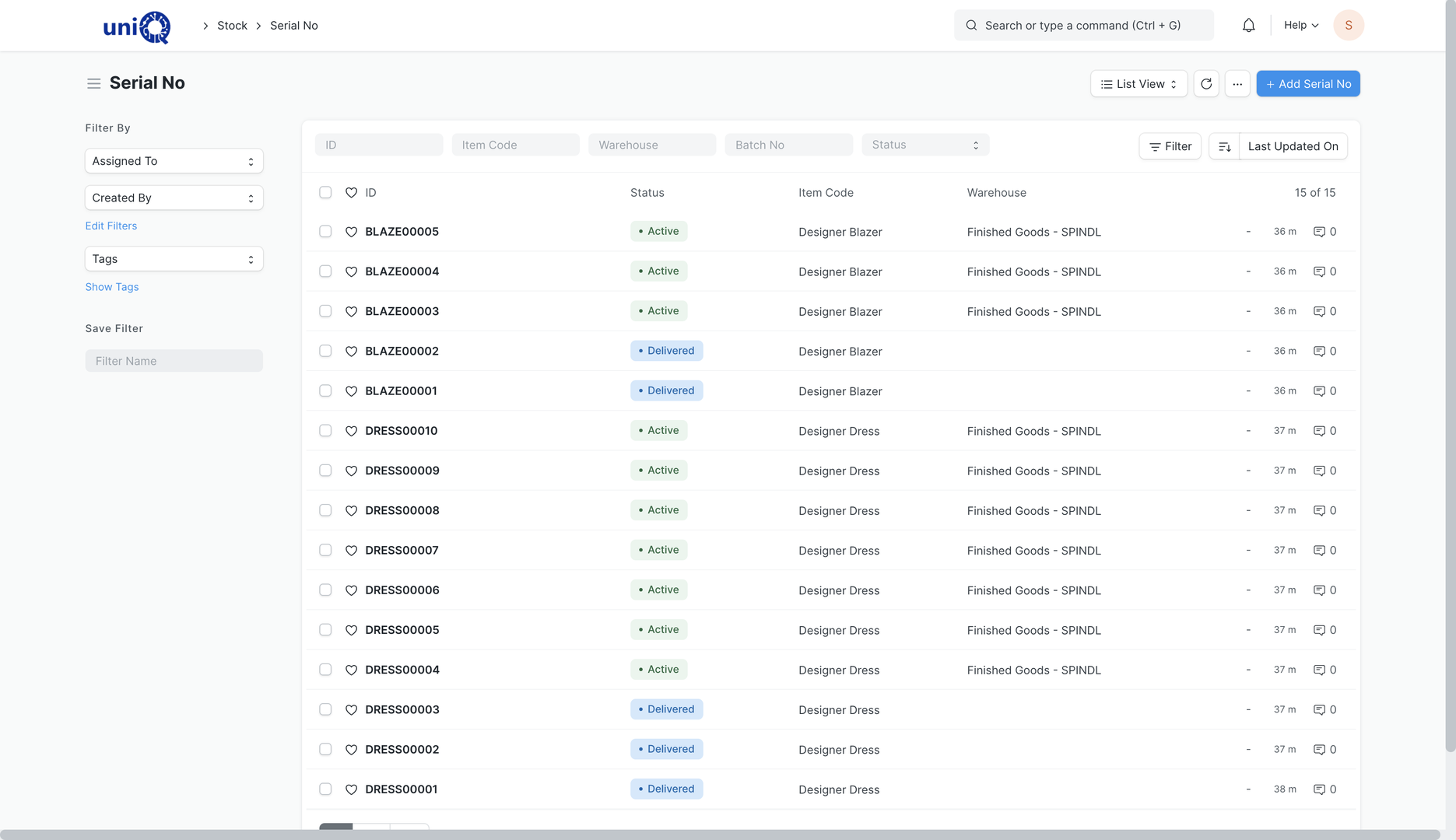
LED displays, media players and power supplies received with serial numbers, so the unit at each site is known for warranty and service.
- 05
Consumable replenishment
Vinyl, ink, acrylic sheet and fasteners kept above reorder level automatically, so a rollout is not delayed by a missing box of screws.
- 06
Partial dispatch and site staging
Cabinets dispatched first, letters and lighting later, with the delivery note showing what is pending for each site and the invoice raised on what was delivered.
Key workflows
From customer PO to delivered site
Convert the quotation to a sales order
The accepted quotation revision becomes a sales order with the customer's PO number and document attached. The order is linked to the project so everything downstream inherits it.
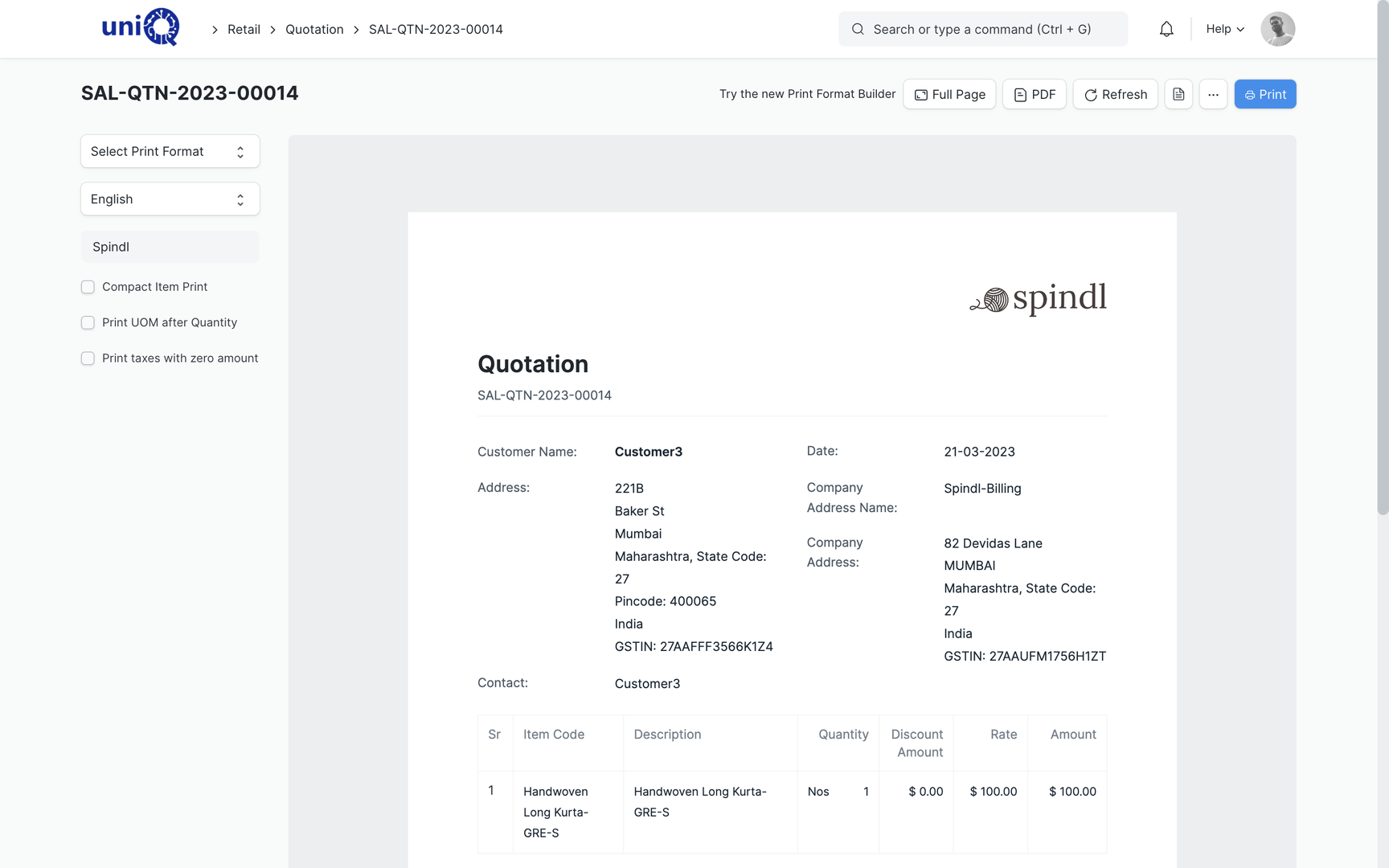
Confirm the order and delivery schedule
Delivery dates per line or per site are set on the sales order. Production and procurement plan against these dates rather than against a verbal promise.
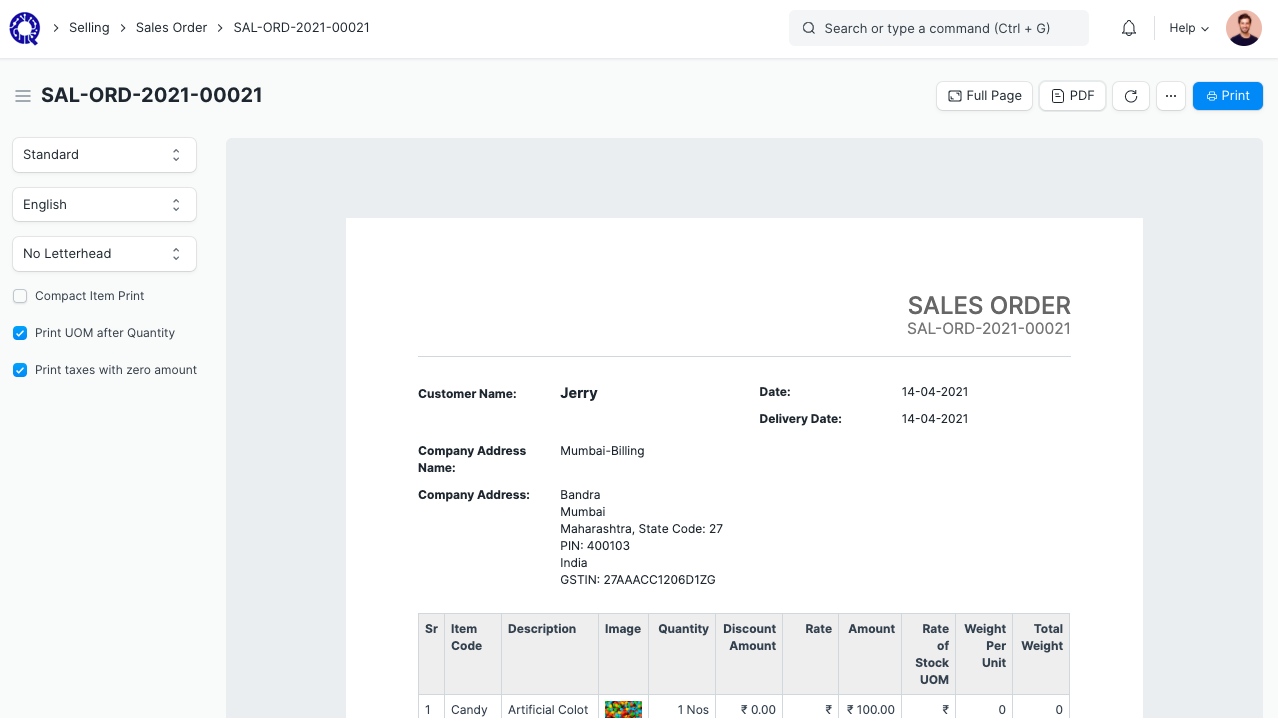
Raise material requests against the project
Material requirements from the BOM and the site list become material requests, each with a required-by date and the project reference. Stock on hand is checked first so nothing is bought twice.
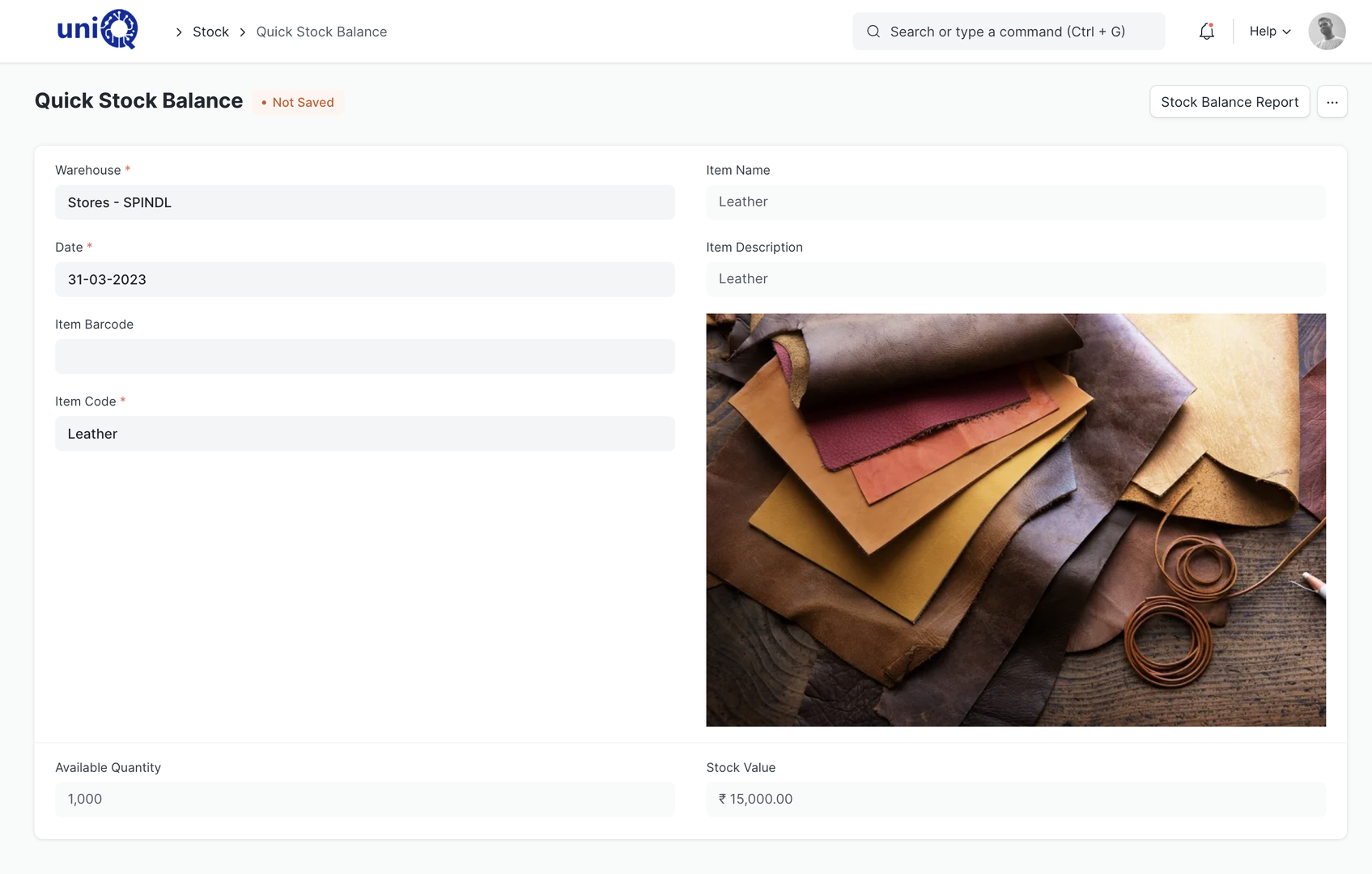
Send RFQs and compare supplier quotations
One RFQ goes to several suppliers. Suppliers can reply on the portal or by email; quotations are compared on rate, lead time and terms before the PO is placed.
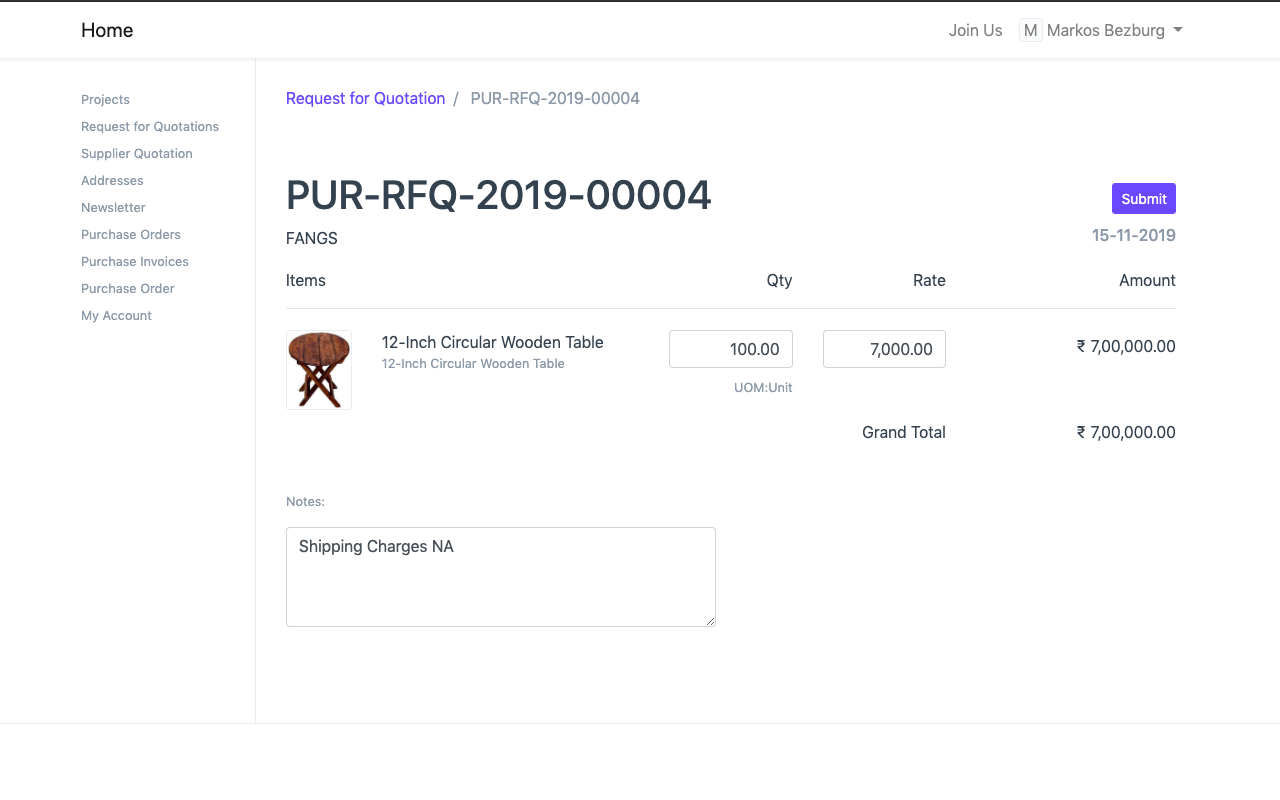
Place the purchase order and receive goods
The purchase order carries the project and delivery date. Goods receipt checks quantity against the PO and can trigger a quality inspection; short supply is visible immediately.
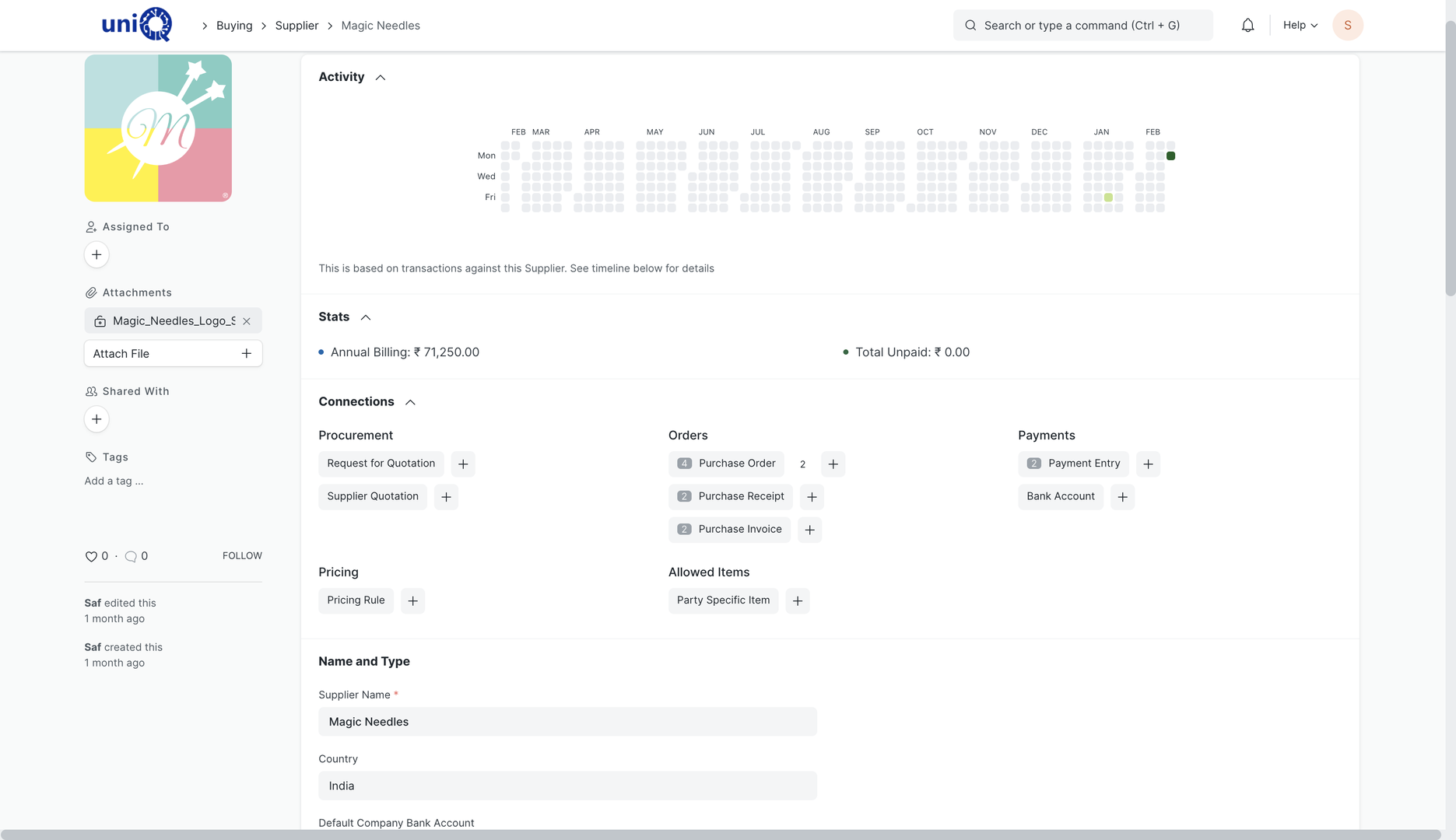
Match the supplier bill and pay
The supplier's invoice is created from the receipt, so rates and quantities are already matched. Outstanding by supplier and due dates drive the payment run.
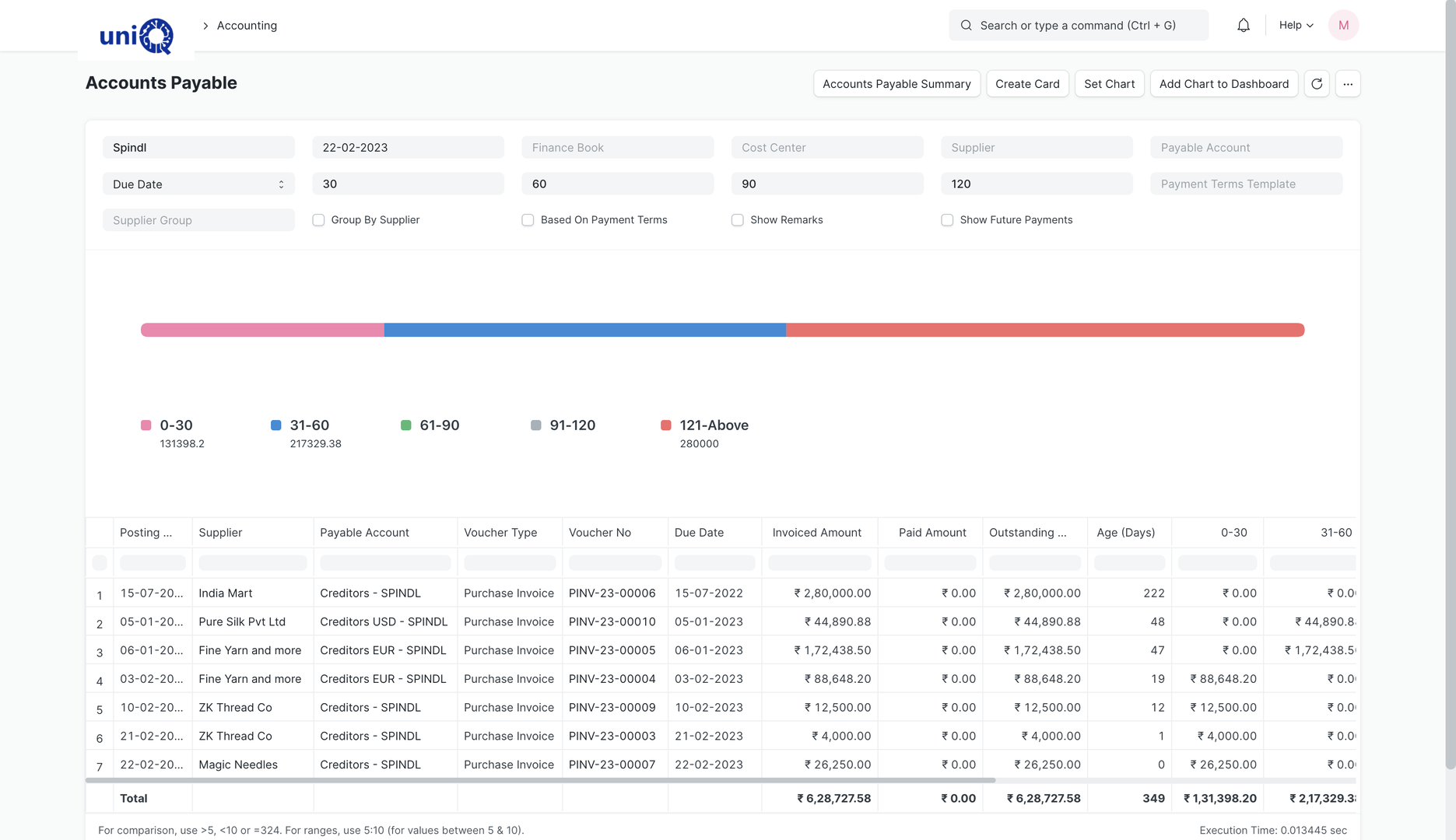
Dispatch and track delivery
Delivery notes are raised per site or per consignment. The order shows delivered versus pending quantity; the invoice follows the delivery note and customer outstanding updates automatically.
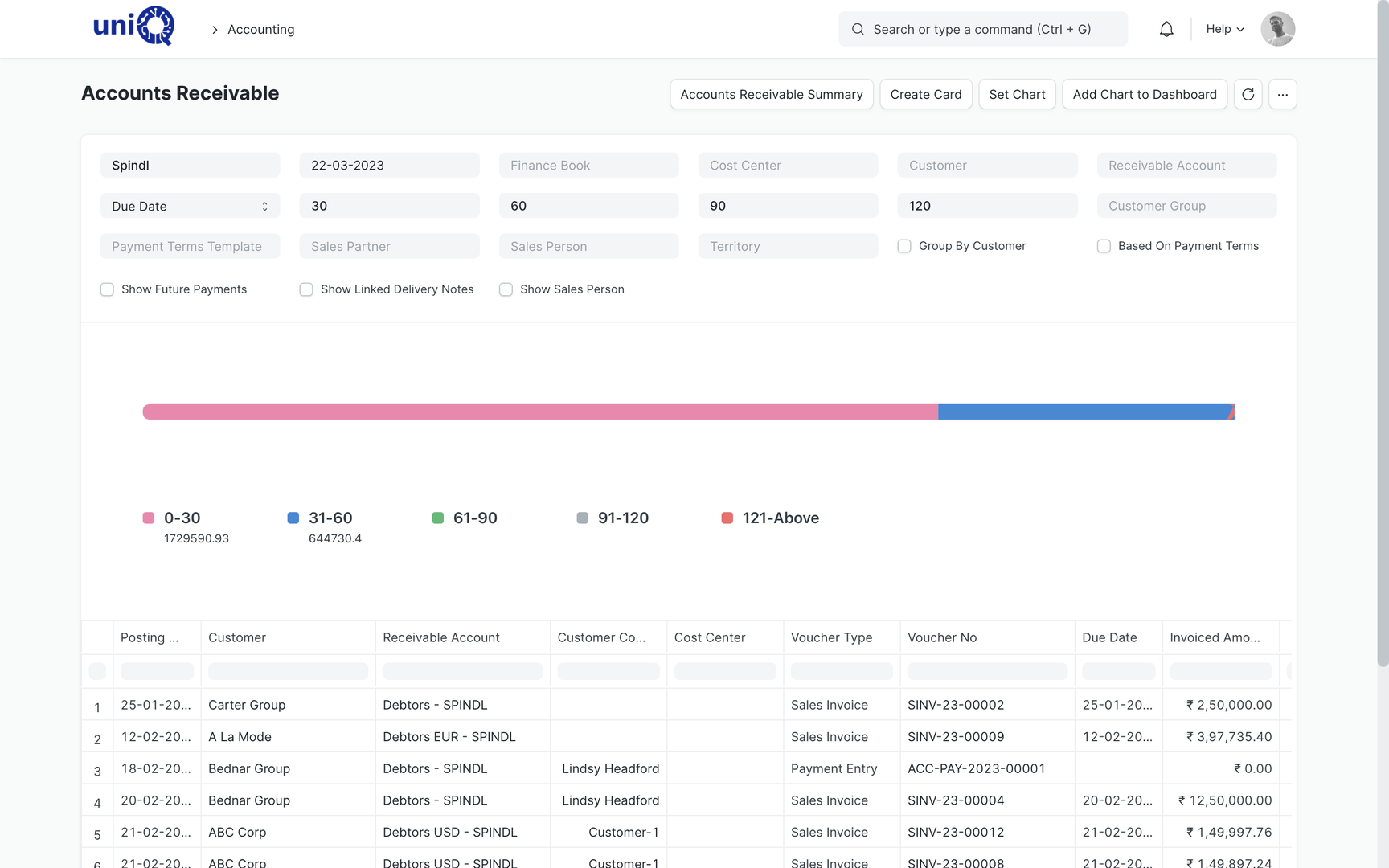
Screens
What your team works in
Layouts, naming and print formats are configured to your business during implementation.
Business outcomes
What changes for the owner and the purchase head
- Every open purchase order is traceable to a project and a customer order.
- Material for a rollout is consolidated and bought once, at a compared rate.
- Goods are checked against the PO at the gate, so short supply is caught before the bill.
- Supplier bills are matched to receipts before payment; outstanding by supplier is current.
- Delivered and pending quantity per site is visible without asking the dispatch clerk.
- Quotation revisions and customer POs are on the order record, not in personal inboxes.
- Serialised components are traceable from receipt to the site they were installed at.
- Customers can see order and shipment status on the portal.
Connected
The order is the spine; production, projects and finance hang off it
The sales order drives work orders, material requests and delivery. Purchase receipts feed stock and vendor bills. Both sides post to accounting against the project, so profitability includes what was bought as well as what was sold.
External integrations, scoped separately
- Supplier and customer portals on your own domain
- Courier and transporter tracking links on delivery notes
- Barcode scanning at goods receipt and dispatch
Who uses it
Who works in the sales and procurement module
- ODOwner / Director
- SHSales Head
- SCSales Coordinator
- PMPurchase Manager
- PEPurchase Executive
- SIStores In-charge
- DIDispatch In-charge
- PMProject Manager
FAQ
Sales & Procurement: common questions
Can one sales order cover many sites?
Yes. Per-site quantities and delivery dates are configured on the order, and delivery notes are raised site by site, so pending quantity is known for each location.
Do suppliers need to log in to quote?
No. RFQs can go by email and quotations can be entered by your purchase team. The supplier portal is available for vendors who prefer to reply online.
How do we stop buying material we already have?
Material requests check stock on hand per warehouse before they become purchase orders, and reorder levels keep consumables in stock without manual monitoring.
Can customers see their order status?
The standard customer portal shows orders, invoices and shipments. Project-specific views, such as per-site installation status, are configured during implementation.
See ClassicNext running your business
A 30-minute fitment call: we understand your current process, show the modules that matter to you, and give indicative pricing. No generic tour.
Prefer to start smaller? Get a process audit or request pricing.